

E-Commerce Strategies
Selling internationally on Amazon? Currency conversion can directly impact your profits. Here's what you need to know:
Amazon Currency Converter for Sellers (ACCS): Automatically converts foreign sales revenue to your local currency. Fees range from 0.75% to 1.50% based on sales volume. Convenient but lacks flexibility for timing conversions.
Amazon Seller Wallet: Offers manual control over conversions, allowing you to time them for better rates. Supports holding balances in multiple currencies and paying U.S. suppliers directly in USD. Fees are similar to ACCS but limited to Amazon US sales.
Key Challenges: Exchange rate fluctuations, hidden fees (2-4%), and double conversions can reduce profits. Aligning payout currency with expenses can help save on unnecessary costs.
Optimization Tips: Use account management services to merge accounts and qualify for lower fee tiers, monitor exchange rates, and use accounting tools for accurate tracking.
Quick Takeaway: ACCS is ideal for simplicity across multiple marketplaces, while Seller Wallet offers more control for timing conversions or paying suppliers. Choose based on your sales volume and business needs.
Why Currency Conversion Matters for Amazon Sellers
How Exchange Rates Affect Your Profit Margins
Exchange rate fluctuations can have a direct impact on your profits when selling internationally on Amazon. For instance, if the U.S. dollar strengthens against foreign currencies, your earnings from platforms like Amazon.de or Amazon.co.uk will shrink when converted back to USD. In 2025, the USD dropped over 11% from its January high, while the GBP/USD exchange rate climbed nearly 11% by mid-year. Such changes can alter profit margins by 10% to 15%, potentially turning a profitable product into a financial loss overnight.
But the challenge doesn’t stop there. Hidden foreign exchange fees can quietly eat into 2% to 4% of your total revenue. Amazon, for example, charges a 2.5% FX fee when transferring international earnings to a USD bank account. On top of that, traditional banks often tack on another 2% to 3.5% through inflated exchange rates. Timing is another issue - Amazon holds funds for 14 days before payout, and during that period, exchange rates can shift dramatically, adding an unpredictable layer to your margin calculations.
Beyond these risks, sellers must also navigate the operational hurdles of handling payments in multiple currencies.
"The exchange rate displayed at checkout may not match the rates published online or in other financial databases. Those exchange rates are generally inter-bank rates that are for wholesale amounts and aren't available to retail consumers." - Amazon Help Documentation
Common Problems with Multi-Currency Payments
Dealing with payments across various currencies is no small task and often leads to time-consuming and costly challenges. One of the biggest headaches is reconciliation - the exchange rates used by Amazon don’t align with the inter-bank or "wholesale" rates you might find online or in financial reports. This mismatch can make it nearly impossible to reconcile payments accurately with global market data. For some global brands, manual tracking can take up to six hours per week.
Another issue is the double conversion trap, where sellers convert sales revenue into their home currency and then back into another currency to pay international suppliers. For example, converting EUR to USD and then USD to CNY can rack up fees of 3% to 4%. Add cross-border bank fees of 1% to 4%, plus potential receiving fees, and the costs quickly pile up. On top of that, technical errors, like incorrect bank details, can delay cash flow by forcing funds back into your seller account. And if you’ve recently updated your bank information, the first payment is subject to a mandatory 14-day security hold, further complicating cash flow management.
Amazon Currency Converter for Sellers (ACCS): How It Works

What ACCS Does
The Amazon Currency Converter for Sellers (ACCS) is an integrated tool within Seller Central that simplifies how sellers receive payments in their local currency. Instead of requiring a foreign bank account or relying on third-party services, ACCS automatically converts your Amazon earnings into your local currency and deposits them directly into your bank account. This service supports a variety of global currencies, making it accessible to sellers worldwide.
To get started, you simply input your local bank details in the "Deposit Methods" section of Seller Central. Once set up, ACCS uses wholesale foreign exchange rates that are updated daily, similar to the rates used by major foreign exchange traders. After processing, funds typically arrive in your account within a few business days. However, if you're using a new bank account, there’s a mandatory three-day security hold before the first payout. This automated setup helps streamline your currency management, aligning with broader strategies to optimize profits.
One standout feature of ACCS is its ability to lock in the original exchange rate for customer returns. This ensures you're protected from unfavorable currency fluctuations when items are returned.
ACCS Fees and Costs
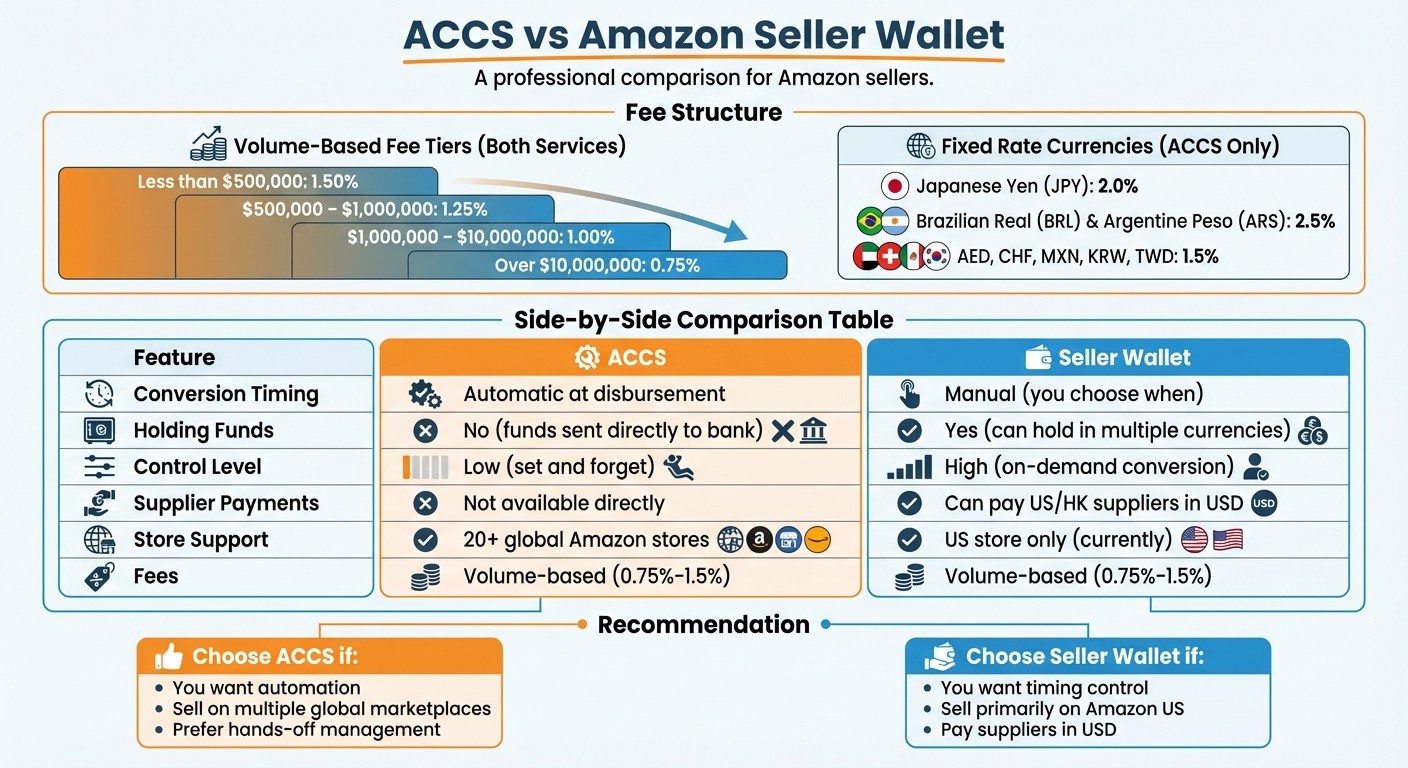
ACCS uses a tiered fee structure that decreases as your sales volume increases. The fee you pay is based on your total cross-currency net proceeds over the past 12 months across all Amazon marketplaces. Here’s how the standard fee tiers break down:
Total Cross-Currency Net Proceeds (Trailing 12 Months) | Fee Percentage |
|---|---|
Less than $500,000 | 1.50% |
$500,000 – $1,000,000 | 1.25% |
$1,000,000 – $10,000,000 | 1.00% |
Over $10,000,000 | 0.75% |
Certain currencies, however, have fixed rates regardless of sales volume. For example, payouts in Japanese Yen (JPY) incur a 2.0% fee, while Brazilian Real (BRL) and Argentine Peso (ARS) are charged at 2.5%. Other currencies like AED, CHF, MXN, KRW, and TWD have a flat 1.5% fee. For payouts in Chinese Yuan (CNY) from Amazon.com, a separate tier applies, with fees ranging from 0.40% to 0.90%, depending on your sales volume.
Let’s look at an example: A seller based in Germany earns $500,000 on Amazon.com, $300,000 on Amazon.co.uk, and $300,000 on Amazon.co.jp. If treated as separate accounts, they would pay a 1.5% fee on each marketplace. However, by linking these accounts using the "Merge Accounts" feature in Seller Central, the combined $1.1 million qualifies for the 1.0% fee tier. This could save the seller $5,500 annually.
Having a clear understanding of ACCS fees helps you decide whether it’s the right fit compared to manual alternatives like Amazon Seller Wallet.
Advantages and Disadvantages of ACCS
ACCS offers several benefits, with convenience being a key highlight. It eliminates the need to open foreign bank accounts or establish legal entities in other countries. The service also handles exchange rates automatically, removing the need for manual calculations. Plus, the locked-in exchange rate for returns ensures your margins are protected from currency fluctuations.
However, there are some trade-offs. Since ACCS automatically converts funds upon disbursement, you lose control over the timing of conversions, which could prevent you from capitalizing on more favorable exchange rates. While the rates are competitive, they are retail-based and may not match the interbank rates you’d find in financial databases. For high-volume sellers or those who prefer managing their own currency conversions, this lack of flexibility can be a drawback compared to manual options like Amazon Seller Wallet.
This overview of ACCS lays the groundwork for comparing it to manual alternatives, helping you decide which approach best suits your needs.
Seamlessly manage and move funds globally | Amazon Seller Wallet
Amazon Seller Wallet: A Manual Conversion Option
ACCS vs Amazon Seller Wallet: Fee Structure and Feature Comparison
What Amazon Seller Wallet Offers
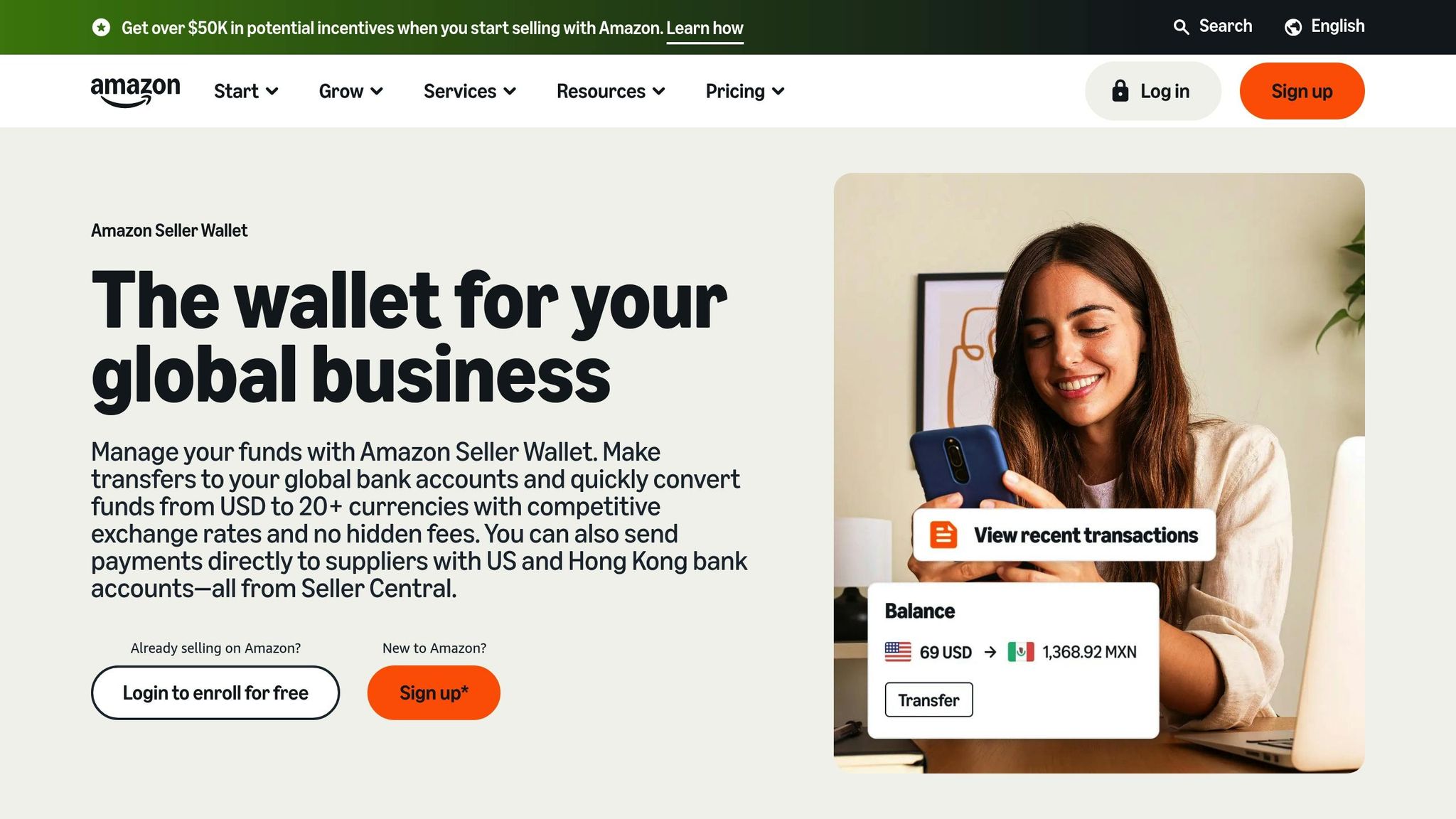
After exploring ACCS, let’s dive into another option that gives you more control: Amazon Seller Wallet. Unlike automatic conversion, this tool lets you decide when to convert your funds. You can hold balances in multiple currencies - like USD, GBP, EUR, and JPY - and convert them based on favorable market conditions.
The wallet supports conversions from USD to over 20 global currencies. Transfers to major currencies typically reach your bank by the next business day. A standout feature is the ability to pay suppliers directly in USD, avoiding extra conversion fees. Before you make any transfer, you’ll see the exact exchange rate and fees upfront - no hidden surprises.
One seller shared their experience:
"Amazon Seller Wallet gave me a better rate than my bank did . . . [Seller Wallet] just paid me right into my Amazon account, and I didn't have to use any other third-party software. I didn't have to pay any extra fees. I didn't have to log in to any other platform. Everything was managed in one place, making the process seamless."
The wallet is free to enroll and maintain - there are no monthly or dormancy fees. Transfers in USD to U.S. bank accounts or U.S.-based suppliers are completely free as well. Both Seller Wallet and ACCS follow the same volume-based fee structure (0.75%–1.5%), but Seller Wallet offers the advantage of manual control over when to convert your funds. However, it’s important to note that Amazon Seller Wallet balances are not FDIC-insured, and funds can be frozen if your account health is at risk.
This tool complements ACCS by giving you the ability to manage conversion timing yourself.
ACCS vs. Amazon Seller Wallet
Choosing between these two options depends on whether you prioritize convenience or control. ACCS handles everything for you automatically, while Seller Wallet requires active management but provides more flexibility.
Here’s a quick comparison of their key features:
Feature | Amazon Currency Converter (ACCS) | Amazon Seller Wallet |
|---|---|---|
Conversion Timing | Automatic at disbursement | Manual (you choose when) |
Holding Funds | No (funds sent directly to bank) | Yes (can hold in multiple currencies) |
Control Level | Low (set and forget) | High (on-demand conversion) |
Supplier Payments | Not available directly | Can pay US/HK suppliers in USD |
Store Support | 20+ global Amazon stores | US store only (currently) |
Fees | Volume-based (0.75%–1.5%) | Volume-based (0.75%–1.5%) |
Currently, Amazon Seller Wallet is limited to managing funds from the Amazon US store, while ACCS supports over 20 global stores. If you sell only on Amazon.com and want to time conversions strategically or pay suppliers in USD, Seller Wallet offers more control. On the other hand, if you operate across multiple international marketplaces and prefer an automated solution, ACCS might be the better fit.
This comparison gives you a clearer picture of your currency conversion options on Amazon, helping you choose the approach that aligns best with your business needs.
How to Optimize Your Currency Conversion Process
When to Convert Your Currency
Exchange rates are always shifting, and timing your currency conversions wisely can make a big difference in protecting your profits. If you manage conversions manually, you might have the flexibility to hold funds in multiple currencies and wait to convert until the rates are in your favor. Keep an eye on the mid-market rate - this is the midpoint between the buy and sell prices - and look for times when Amazon's offered rate aligns closely with it.
Another helpful tool is ACCS, which automates the conversion process. It locks in the exchange rate at the time of purchase for refunds, safeguarding you from rate changes between the original sale and any customer returns. This feature helps you avoid potential losses that can happen with traditional banking systems.
By timing your conversions strategically, you can secure better rates and reduce fees. Next, let’s dive into how to spot and avoid those sneaky hidden charges that can eat into your earnings.
How to Spot and Avoid Hidden Fees
Hidden fees often show up in the gap between Amazon's exchange rate and the mid-market rate. This difference typically includes a built-in service fee. While ACCS clearly outlines its volume-based fees (ranging from 0.75% to 1.50%), your bank might tack on additional charges for transfers. Always double-check with your bank to confirm whether extra fees apply.
Another cost trap is double conversion. This happens when you sell in one currency but convert it again to pay suppliers, leading to extra fees. To avoid this, align your payout currency with your expenses. For example, if your suppliers require USD, request payouts in USD. In some regions, like Turkey or Saudi Arabia, you might also face Value Added Tax (VAT) on ACCS fees, which adds another layer of cost.
Once you’ve identified these potential fees, the next step is to ensure accurate tracking for better financial management.
Using Accounting Software for Currency Tracking
Accurate record-keeping is essential for managing conversions and understanding their impact on your bottom line. Use Amazon's "Payments Report" and "Business Reports" to document original marketplace amounts alongside converted figures. These reports make it easier to reconcile accounts and see how conversion fees affect your overall profitability. They also provide the documentation you’ll need for tax reporting.
For even better efficiency, integrate these reports with your accounting software. This allows you to automatically track currency gains and losses, ensuring your taxable income is accurate. By displaying both original and converted amounts, you can quickly spot discrepancies and maintain accurate financial records. Proper tracking not only simplifies tax preparation but also helps you make smarter decisions about currency conversions, keeping your business on track for success.
Choosing Your Currency Conversion Method
Selecting the right currency conversion method is key to protecting your international profits. The best option for your business will depend on factors like your sales volume, operational requirements, and how much control you want over your cash flow.
If convenience is your top priority, ACCS (Amazon Currency Converter for Sellers) could be the perfect fit. It automatically converts and deposits your funds after each disbursement, offering a hands-off solution. This approach is especially helpful for smaller operations that want to avoid the hassle of managing multiple accounts or keeping a constant eye on exchange rates.
On the other hand, Amazon Seller Wallet offers more flexibility. It’s ideal for businesses that want to time their conversions strategically or pay U.S.-based suppliers directly. This tool provides greater control over when conversions happen, while still using the same volume-based fee structure as ACCS.
Consider Your Sales Volume and Fee Structure
Your annual sales volume plays a significant role in determining which method will save you the most money. Amazon's tiered fee structure ranges from 1.50% for sellers earning less than $100,000 annually to 0.75% for those exceeding $10,000,000. Linking your accounts through the Amazon Global Selling Program can help you qualify for higher volume thresholds, reducing your fees and potentially saving you thousands each year.
Align Payout Currency with Expenses
Beyond fees, it’s smart to align your payout currency with your business expenses. If you frequently convert funds to pay international suppliers, you could incur an additional 2%–3% in costs. Matching your payout currency to your major expenses can help you avoid these unnecessary charges. For sellers in regions with flat-rate currency fees - like Japan (2.0% for JPY) or Brazil (2.5% for BRL) - alternative strategies might be more cost-effective for high-volume operations.
Start Simple, Scale Strategically
If you’re new to international selling or your annual proceeds are under $500,000, starting with ACCS is the easiest way to get started. As your business grows and your financial needs become more complex, transitioning to Seller Wallet can give you greater control over your cash flow.
One last tip: Always use the "View Exchange Rate" button in Seller Central to check the current rate before completing any transfers. Compare Amazon’s rates to mid-market rates regularly to ensure you’re getting competitive pricing. By evaluating these factors, you can choose the method that aligns with your business goals and evolves with your needs.
FAQs
What are the best ways to reduce hidden currency conversion fees when selling on Amazon?
To cut down on hidden currency conversion fees when using Amazon, steer clear of Amazon's built-in currency converter. It often comes with higher fees and less favorable exchange rates. Instead, look into third-party services or tools that provide more competitive rates and lower fees.
Another smart approach is to lock in better exchange rates through specialized platforms. Just make sure to carefully review the terms and fees of any service you choose. This way, you can keep extra costs to a minimum while managing your international sales efficiently.
What should I consider when deciding between Amazon Currency Converter for Sellers (ACCS) and Amazon Seller Wallet?
When choosing between Amazon Currency Converter for Sellers (ACCS) and Amazon Seller Wallet, it all comes down to what your business requires - whether it’s handling complex international sales, accessing funds quickly, or managing fees effectively.
ACCS is a simple tool designed to convert currency for payouts. It offers competitive exchange rates, making it a great option for sellers looking for a hassle-free and budget-friendly way to handle international transactions. Meanwhile, Amazon Seller Wallet goes a step further with additional financial features. It allows you to access payouts faster, hold balances in multiple currencies, and manage liquidity more effectively - perfect for sellers navigating multiple international markets.
If keeping things straightforward and minimizing fees is your priority, ACCS might be the right choice. However, for those handling larger or more diverse international operations, the Seller Wallet’s added flexibility and advanced financial tools could be a better match. The decision ultimately depends on your business size, cash flow needs, and operational goals.
How do exchange rate changes affect my Amazon earnings?
Exchange rate changes can directly affect your Amazon earnings, especially if you're selling products internationally. When currency values shift, the amount you receive in your local currency after converting your sales revenue might be lower than anticipated. This can take a bite out of your profits. On top of that, fees like Amazon’s 2.5% foreign exchange fee and additional bank charges can add to the impact.
To tackle these challenges, many sellers turn to tools like Amazon’s Currency Converter for Sellers (ACCS), which allows payments to be sent directly in your local currency. Other strategies, such as locking in exchange rates or using automated tools to track currency data, can also help you manage the risks. Staying ahead of foreign exchange fluctuations is crucial to keeping your profit margins intact when selling globally on Amazon.






