

Back to Page
Amazon Keywords
How to Find Negative Keywords For Amazon FBA
As an Amazon FBA seller, every click on your ad costs money, and irrelevant clicks can eat away at your profits. By identifying negative keywords, you can stop paying for traffic that doesn’t convert, ensuring your ads are more efficient and profitable. Here’s how you can find and use negative keywords for your Amazon campaigns:
1. Dive into Your Search Term Reports
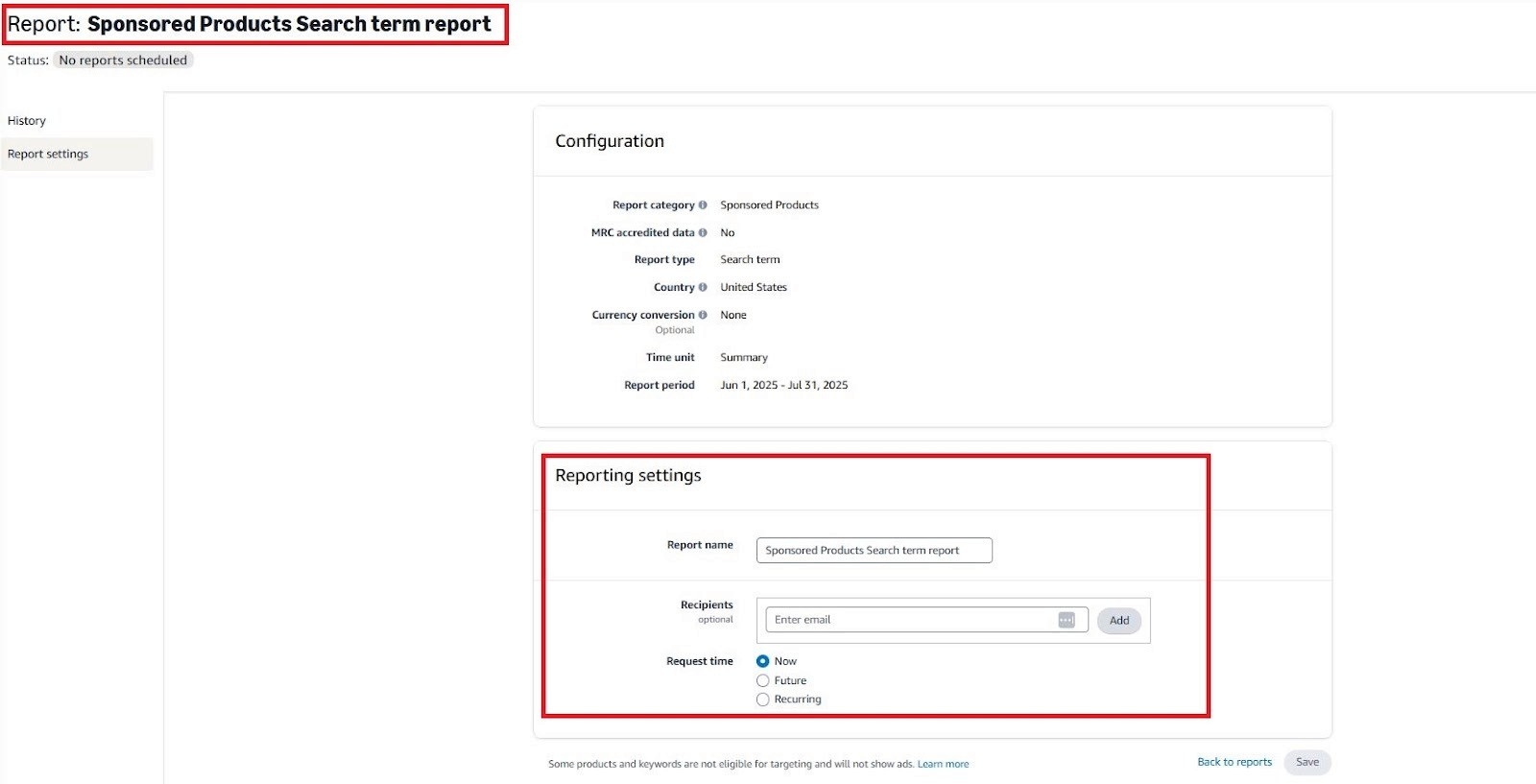
Start by analyzing your Search Term Reports in Amazon Ads. This report shows you the actual search terms customers used to trigger your ads. To identify negative keywords, look for terms that generate a lot of clicks but don’t lead to sales. These are prime candidates for exclusion.
Example:
If a search term like “cheap pillow” triggers many clicks on your premium memory foam pillow ad but leads to no conversions, you’re wasting ad spend. Since “cheap” doesn't align with your high-end product, it’s a good idea to add “cheap” as a negative keyword.
Action:
Identify keywords with 12-22+ clicks and no conversions
Calculate wasted ad spend and FBA costs
Add irrelevant keywords to your negative list
2. Remove irrelevant product keywords
Understanding buyer intent is key. If a keyword doesn’t align with your product or the customer’s intent, it’s time to add it to your negative keyword list. For example, if you sell a product for babies, terms that relate to adults should be excluded.
Example:
If you’re selling camping gear and your ad is being triggered by search terms like “indoor camping,” “home camping,” or “indoor tents,” these terms don’t match your target audience, who is looking for outdoor camping products. These irrelevant keywords are draining your ad spend and should be excluded.
Action:
Exclude terms that attract the wrong type of audience (e.g., “indoor,” “home,” or “backyard” when selling outdoor products).
Focus on keywords that match your product's intended use and buyer intent.
3. Remove keyword Cannibalization
If you’re selling multiple variations of the same product (like different colors or sizes), your ads could compete with each other. This can split your visibility and waste ad spend, especially if you have limited FBA storage or inventory.
Example:
Imagine you sell red and blue versions of a yoga mat. If you target the same keywords for both mats (e.g., “yoga mat”), you risk bidding against yourself. Instead of getting better visibility for your product, you may be spreading your ad budget across both listings, reducing efficiency.
Action:
Add negative keywords for variations that aren’t converting well.
Prevent internal competition by excluding terms that apply to your other product variations.
4. Expand your data view
Amazon gives you 65 days of data on search terms, but if you’ve saved your data (preferably with software), you can look back at 12-month periods or longer. This helps identify keywords that may have accumulated enough clicks to show a pattern of wasted spend.
Example:
A term like “best pillow” may only have a few clicks in the 65-day report, but over 12 months, it might show 60+ clicks with no conversions. That’s a good indicator that it’s a keyword you should exclude from your campaigns.
Action:
When possible, expand your data range to 6-12 months.
Look for terms that are spending a lot of money without converting. Consider lowering bids or adding them as negative keywords.
5. Analyze the common words across multiple terms
Once you’ve identified a keyword that appears in several low-converting search terms, increase your data sample size. Look at more search queries over a longer period, and you'll likely find recurring words that aren't converting well. These words can be added as negative phrases, saving you from wasted clicks.
Example:
If you sell a sleeping pillow and the word "travel" appears in many of your search terms, but those searches don’t lead to sales, you may want to add “travel” as a negative keyword. It’s likely that shoppers looking for a “travel pillow” aren’t interested in your standard pillow.
Action:
Look for words that repeat across different non-converting search terms.
Add those words as negative phrases to prevent them from showing up in future searches.



eStore Factory is a full-service Amazon agency dedicated to building end-to-end strategies for brands of all sizes.


SERVICES FOR AMAZON
Product Setup ON AMAZON
GRAPHICS & BRANDING SERVICES
© Copyright 2014 - 2024. All Rights Reserved.