

Back to Page
Amazon Seller Guide
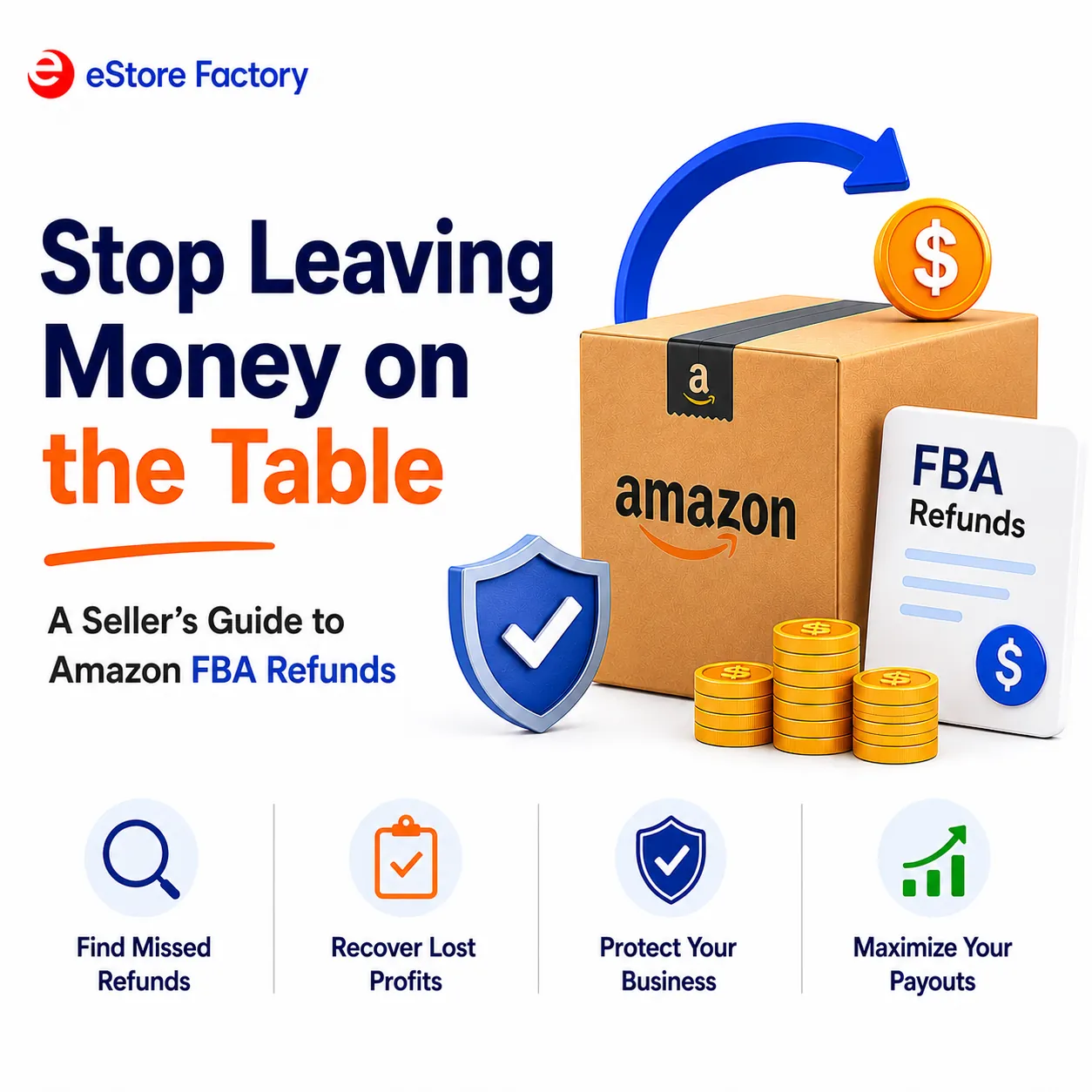
Stop Leaving Money on the Table: A Seller's Guide to Amazon FBA Refunds
Stop Leaving Money on the Table: A Seller's Guide to Amazon FBA Refunds
Back to Page
Amazon Seller Guide
Stop Leaving Money on the Table: A Seller's Guide to Amazon FBA Refunds
Did you know that Amazon logs thousands of fulfilment errors every single day, and most sellers never recover the money they are owed? Lost inventory, miscounted shipments, customer returns that never make it back to your stock – these situations are far more common than most people expect. They occur consistently across FBA accounts of all sizes, and the financial impact builds up faster than most sellers ever stop to calculate. Amazon FBA reimbursements exist precisely for these situations, yet a large portion of eligible claims go unfiled simply because sellers do not know where to look.
Knowing your Amazon seller reimbursement rights is not overly complicated, but acting on them does require a clear and consistent process. This is exactly what eStore Factory helps sellers across the US put in place every day, from identifying what Amazon owes to filing the right claims and making sure nothing gets missed along the way.
Why Does Amazon Owe You Money in the First Place?
Amazon takes full responsibility for your inventory the moment it enters its fulfillment network. They store it, pack it, ship it, process returns, and transfer stock between warehouses. At every one of these stages, errors can and do occur. When they do, Amazon's own policy requires them to compensate the seller. The problem is that not every error gets flagged automatically, which means the financial responsibility of tracking and claiming that money falls on you.
Here are the most common situations where an Amazon seller return or fulfilment error creates a reimbursement opportunity:
Inventory that goes missing inside Amazon's fulfilment centres.
Stock that gets damaged by warehouse staff or equipment.
Customer returned items that never get restocked into your inventory.
FBA fees are charged at incorrect rates due to wrong product dimensions or weight.
Units lost during transfers between fulfilment centres.
Inbound shipments that are received short by Amazon.
Each of these scenarios is covered under Amazon's reimbursement policy. The issue is not whether you are eligible; in most cases, you are. The issue is whether you are actively checking.
What Changed in 2026 and Why Does It Affect Your Payouts Now?
In March 2026, Amazon updated how it calculates reimbursement amounts for lost or damaged FBA inventory. Before this change, reimbursements were based on your selling price. After the update, Amazon now bases payouts on your manufacturing or sourcing cost instead. For many sellers, this means receiving significantly less money back than they were getting before.
What makes this more complicated is how Amazon determines your sourcing cost. If you have not manually uploaded your cost data to the Manage Your Sourcing Cost page in Seller Central, Amazon fills in that number using its own internal estimates. Those estimates tend to run low, which directly reduces your FBA inventory reimbursement payout.
Here is a quick comparison of how the policy changed:
Policy | Before March 2026 | After March 2026 |
Reimbursement based on | Your selling price | Your sourcing or manufacturing cost |
Who determines the value | Amazon's market estimate | Seller-uploaded cost data |
Risk of not uploading costs | Low | High, Amazon uses its own low estimate |
Impact on payout | Higher recovery | Potentially much lower recovery |
Which Reimbursement Claims Do Sellers Miss the Most?
Most sellers know reimbursements exist, but never track them closely enough to catch what slips through. These are not obvious errors, they are quite a few discrepancies inside reports that rarely get reviewed. The three claim types below account for a large share of unclaimed money across FBA accounts.
1. Returns That Never Come Back
When a customer return is processed, the item does not always find its way back into your sellable inventory. It can get miscategorized, go missing somewhere in the returns process, or get marked as disposed of without your approval, and every one of these situations qualifies for FBA returns reimbursement.
2. Short Received Shipments
When you send inventory to Amazon, there is no guarantee that every unit you packed gets recorded on their end. Any gap between what you shipped and what Amazon actually logged is eligible for Amazon FBA reimbursements, but only if you are regularly checking your shipping records against their Received Inventory Report.
3. Incorrect FBA Fee Charges
Amazon calculates fulfillment fees using your product's dimensions and weight, and when those numbers are recorded incorrectly in their system, you end up paying more than the actual rate. This type of error does not stay small, it repeats with every single order fulfilled at the wrong rate and quietly chips away at your margins over time.
What Happens When Amazon Denies Your Claim?
A denied claim does not mean the case is closed. Amazon's reimbursement process involves a fair amount of back and forth, and many sellers give up at the first rejection without knowing that a well-documented resubmission often gets approved. Here is what to do when your Amazon seller reimbursement request comes back denied.
Review the denial reason carefully: Amazon provides a reason code with every rejection, and understanding exactly what triggered it tells you what needs to be corrected before you file again.
Gather stronger supporting documentation: If the claim was rejected for lack of supporting proof, go back and pull together shipment IDs, ASIN details, order records, or photos that confirm the issue you are disputing.
Resubmit with a clear and factual explanation: Write your second submission in plain, direct language, attach every document that supports the case, and make sure there are no gaps in your explanation that could give Amazon grounds to push back.
Escalate through Seller Support if the second submission fails: One rejection from Seller Support does not close the case permanently, following up through the right support channel with your full documentation on hand gives the claim a real chance of moving forward.
Act within your filing window: Amazon gives sellers an 18-month window from the date of the error to file or resubmit a claim for Amazon seller reimbursement. Once that period is gone, there is no path to recovering that money, no matter how strong the case.
Are You Making These Reimbursement Mistakes?
Not every missed reimbursement is Amazon's fault. Many sellers unknowingly create gaps in their own process that result in eligible claims never being filed. If any of the following apply to your account, there is likely money sitting unclaimed right now.
1. Skipping regular inventory reconciliation: Most sellers only check their reports when something feels off, and by that point, months' worth of discrepancies have already built up without a single claim filed.
2. Filing claims past the deadline: Amazon's 18-month filing window sounds generous, but sellers who audit their accounts infrequently often find errors only after that window has quietly shut on them.
3. Not uploading accurate sourcing costs: When your cost data is absent from Seller Central, Amazon steps in with its own figures, and those figures tend to be low enough to noticeably shrink your FBA inventory reimbursement payout.
4. Treating reimbursements as a one-time task: FBA errors do not pause between audits, they accumulate steadily, which means checking once a year will always leave a portion of recoverable money on the table.
5. Submitting incomplete claims: A missing order ID, a wrong ASIN, or a description that lacks specifics are enough for Amazon to turn down a claim that was otherwise completely valid.
6. Ignoring Amazon fulfillment services returns: A large number of sellers focus their attention on lost or damaged stock and never look into the reimbursement potential sitting within their Amazon fulfillment services returns at all.
How Does eStore Factory Manage Your Amazon FBA Reimbursements From Start to Finish?
For sellers who have realized the scope of what goes into recovering missed reimbursements, handling it manually alongside everything else that running an Amazon business demands is simply not practical. eStore Factory specializes in identifying, filing, and following up on every eligible claim within your account, covering everything from Amazon fulfillment services returns to fee discrepancies and short received shipments. The goal is straightforward, make sure every dollar Amazon owes you actually comes back to you.
Full Account Auditing: eStore Factory goes through your entire FBA account in detail, pulling up reimbursement opportunities across every claim category, including the ones most sellers never get around to checking.
Claim Filing and Documentation: Every claim goes out with complete and accurate supporting documentation, which cuts down rejection rates and makes sure each submission holds up against Amazon's requirements right from the start.
Denial Follow-Up: When a claim comes back denied, eStore Factory takes over the resubmission and escalation process so that a valid reimbursement does not get written off simply because of a first rejection.
Ongoing Monitoring: Rather than treating reimbursements as a one-time audit, eStore Factory monitors your account on a continuous basis so new discrepancies are caught and claimed before the filing window closes.
Find Out How Much Amazon Owes You
FBA errors are not occasional, they are a consistent part of operating inside Amazon's fulfillment network, and the 2026 policy shift has made recovering that money more detail-dependent than ever before. Sellers who treat Amazon FBA reimbursements as a passive process will continue losing money they are fully entitled to claim.
Working with eStore Factory means having a dedicated team that knows exactly where to look, how to file correctly, and how to push back when claims are denied, so your FBA returns reimbursement recovery happens consistently, not just when you find the time. Take the first step today and let eStore Factory audit your account for free.
FAQS
How long does Amazon give sellers to file a reimbursement claim?
Does Amazon automatically process all FBA reimbursements?
How much money can FBA sellers typically recover through reimbursements?
What documents are needed to file an Amazon seller reimbursement claim?
Can sellers still recover money after Amazon changed its reimbursement policy in 2026?
Did you know that Amazon logs thousands of fulfilment errors every single day, and most sellers never recover the money they are owed? Lost inventory, miscounted shipments, customer returns that never make it back to your stock – these situations are far more common than most people expect. They occur consistently across FBA accounts of all sizes, and the financial impact builds up faster than most sellers ever stop to calculate. Amazon FBA reimbursements exist precisely for these situations, yet a large portion of eligible claims go unfiled simply because sellers do not know where to look.
Knowing your Amazon seller reimbursement rights is not overly complicated, but acting on them does require a clear and consistent process. This is exactly what eStore Factory helps sellers across the US put in place every day, from identifying what Amazon owes to filing the right claims and making sure nothing gets missed along the way.
Why Does Amazon Owe You Money in the First Place?
Amazon takes full responsibility for your inventory the moment it enters its fulfillment network. They store it, pack it, ship it, process returns, and transfer stock between warehouses. At every one of these stages, errors can and do occur. When they do, Amazon's own policy requires them to compensate the seller. The problem is that not every error gets flagged automatically, which means the financial responsibility of tracking and claiming that money falls on you.
Here are the most common situations where an Amazon seller return or fulfilment error creates a reimbursement opportunity:
Inventory that goes missing inside Amazon's fulfilment centres.
Stock that gets damaged by warehouse staff or equipment.
Customer returned items that never get restocked into your inventory.
FBA fees are charged at incorrect rates due to wrong product dimensions or weight.
Units lost during transfers between fulfilment centres.
Inbound shipments that are received short by Amazon.
Each of these scenarios is covered under Amazon's reimbursement policy. The issue is not whether you are eligible; in most cases, you are. The issue is whether you are actively checking.
What Changed in 2026 and Why Does It Affect Your Payouts Now?
In March 2026, Amazon updated how it calculates reimbursement amounts for lost or damaged FBA inventory. Before this change, reimbursements were based on your selling price. After the update, Amazon now bases payouts on your manufacturing or sourcing cost instead. For many sellers, this means receiving significantly less money back than they were getting before.
What makes this more complicated is how Amazon determines your sourcing cost. If you have not manually uploaded your cost data to the Manage Your Sourcing Cost page in Seller Central, Amazon fills in that number using its own internal estimates. Those estimates tend to run low, which directly reduces your FBA inventory reimbursement payout.
Here is a quick comparison of how the policy changed:
Policy | Before March 2026 | After March 2026 |
Reimbursement based on | Your selling price | Your sourcing or manufacturing cost |
Who determines the value | Amazon's market estimate | Seller-uploaded cost data |
Risk of not uploading costs | Low | High, Amazon uses its own low estimate |
Impact on payout | Higher recovery | Potentially much lower recovery |
Which Reimbursement Claims Do Sellers Miss the Most?
Most sellers know reimbursements exist, but never track them closely enough to catch what slips through. These are not obvious errors, they are quite a few discrepancies inside reports that rarely get reviewed. The three claim types below account for a large share of unclaimed money across FBA accounts.
1. Returns That Never Come Back
When a customer return is processed, the item does not always find its way back into your sellable inventory. It can get miscategorized, go missing somewhere in the returns process, or get marked as disposed of without your approval, and every one of these situations qualifies for FBA returns reimbursement.
2. Short Received Shipments
When you send inventory to Amazon, there is no guarantee that every unit you packed gets recorded on their end. Any gap between what you shipped and what Amazon actually logged is eligible for Amazon FBA reimbursements, but only if you are regularly checking your shipping records against their Received Inventory Report.
3. Incorrect FBA Fee Charges
Amazon calculates fulfillment fees using your product's dimensions and weight, and when those numbers are recorded incorrectly in their system, you end up paying more than the actual rate. This type of error does not stay small, it repeats with every single order fulfilled at the wrong rate and quietly chips away at your margins over time.
What Happens When Amazon Denies Your Claim?
A denied claim does not mean the case is closed. Amazon's reimbursement process involves a fair amount of back and forth, and many sellers give up at the first rejection without knowing that a well-documented resubmission often gets approved. Here is what to do when your Amazon seller reimbursement request comes back denied.
Review the denial reason carefully: Amazon provides a reason code with every rejection, and understanding exactly what triggered it tells you what needs to be corrected before you file again.
Gather stronger supporting documentation: If the claim was rejected for lack of supporting proof, go back and pull together shipment IDs, ASIN details, order records, or photos that confirm the issue you are disputing.
Resubmit with a clear and factual explanation: Write your second submission in plain, direct language, attach every document that supports the case, and make sure there are no gaps in your explanation that could give Amazon grounds to push back.
Escalate through Seller Support if the second submission fails: One rejection from Seller Support does not close the case permanently, following up through the right support channel with your full documentation on hand gives the claim a real chance of moving forward.
Act within your filing window: Amazon gives sellers an 18-month window from the date of the error to file or resubmit a claim for Amazon seller reimbursement. Once that period is gone, there is no path to recovering that money, no matter how strong the case.
Are You Making These Reimbursement Mistakes?
Not every missed reimbursement is Amazon's fault. Many sellers unknowingly create gaps in their own process that result in eligible claims never being filed. If any of the following apply to your account, there is likely money sitting unclaimed right now.
1. Skipping regular inventory reconciliation: Most sellers only check their reports when something feels off, and by that point, months' worth of discrepancies have already built up without a single claim filed.
2. Filing claims past the deadline: Amazon's 18-month filing window sounds generous, but sellers who audit their accounts infrequently often find errors only after that window has quietly shut on them.
3. Not uploading accurate sourcing costs: When your cost data is absent from Seller Central, Amazon steps in with its own figures, and those figures tend to be low enough to noticeably shrink your FBA inventory reimbursement payout.
4. Treating reimbursements as a one-time task: FBA errors do not pause between audits, they accumulate steadily, which means checking once a year will always leave a portion of recoverable money on the table.
5. Submitting incomplete claims: A missing order ID, a wrong ASIN, or a description that lacks specifics are enough for Amazon to turn down a claim that was otherwise completely valid.
6. Ignoring Amazon fulfillment services returns: A large number of sellers focus their attention on lost or damaged stock and never look into the reimbursement potential sitting within their Amazon fulfillment services returns at all.
How Does eStore Factory Manage Your Amazon FBA Reimbursements From Start to Finish?
For sellers who have realized the scope of what goes into recovering missed reimbursements, handling it manually alongside everything else that running an Amazon business demands is simply not practical. eStore Factory specializes in identifying, filing, and following up on every eligible claim within your account, covering everything from Amazon fulfillment services returns to fee discrepancies and short received shipments. The goal is straightforward, make sure every dollar Amazon owes you actually comes back to you.
Full Account Auditing: eStore Factory goes through your entire FBA account in detail, pulling up reimbursement opportunities across every claim category, including the ones most sellers never get around to checking.
Claim Filing and Documentation: Every claim goes out with complete and accurate supporting documentation, which cuts down rejection rates and makes sure each submission holds up against Amazon's requirements right from the start.
Denial Follow-Up: When a claim comes back denied, eStore Factory takes over the resubmission and escalation process so that a valid reimbursement does not get written off simply because of a first rejection.
Ongoing Monitoring: Rather than treating reimbursements as a one-time audit, eStore Factory monitors your account on a continuous basis so new discrepancies are caught and claimed before the filing window closes.
Find Out How Much Amazon Owes You
FBA errors are not occasional, they are a consistent part of operating inside Amazon's fulfillment network, and the 2026 policy shift has made recovering that money more detail-dependent than ever before. Sellers who treat Amazon FBA reimbursements as a passive process will continue losing money they are fully entitled to claim.
Working with eStore Factory means having a dedicated team that knows exactly where to look, how to file correctly, and how to push back when claims are denied, so your FBA returns reimbursement recovery happens consistently, not just when you find the time. Take the first step today and let eStore Factory audit your account for free.
FAQS
How long does Amazon give sellers to file a reimbursement claim?
Does Amazon automatically process all FBA reimbursements?
How much money can FBA sellers typically recover through reimbursements?
What documents are needed to file an Amazon seller reimbursement claim?
Can sellers still recover money after Amazon changed its reimbursement policy in 2026?
Did you know that Amazon logs thousands of fulfilment errors every single day, and most sellers never recover the money they are owed? Lost inventory, miscounted shipments, customer returns that never make it back to your stock – these situations are far more common than most people expect. They occur consistently across FBA accounts of all sizes, and the financial impact builds up faster than most sellers ever stop to calculate. Amazon FBA reimbursements exist precisely for these situations, yet a large portion of eligible claims go unfiled simply because sellers do not know where to look.
Knowing your Amazon seller reimbursement rights is not overly complicated, but acting on them does require a clear and consistent process. This is exactly what eStore Factory helps sellers across the US put in place every day, from identifying what Amazon owes to filing the right claims and making sure nothing gets missed along the way.
Why Does Amazon Owe You Money in the First Place?
Amazon takes full responsibility for your inventory the moment it enters its fulfillment network. They store it, pack it, ship it, process returns, and transfer stock between warehouses. At every one of these stages, errors can and do occur. When they do, Amazon's own policy requires them to compensate the seller. The problem is that not every error gets flagged automatically, which means the financial responsibility of tracking and claiming that money falls on you.
Here are the most common situations where an Amazon seller return or fulfilment error creates a reimbursement opportunity:
Inventory that goes missing inside Amazon's fulfilment centres.
Stock that gets damaged by warehouse staff or equipment.
Customer returned items that never get restocked into your inventory.
FBA fees are charged at incorrect rates due to wrong product dimensions or weight.
Units lost during transfers between fulfilment centres.
Inbound shipments that are received short by Amazon.
Each of these scenarios is covered under Amazon's reimbursement policy. The issue is not whether you are eligible; in most cases, you are. The issue is whether you are actively checking.
What Changed in 2026 and Why Does It Affect Your Payouts Now?
In March 2026, Amazon updated how it calculates reimbursement amounts for lost or damaged FBA inventory. Before this change, reimbursements were based on your selling price. After the update, Amazon now bases payouts on your manufacturing or sourcing cost instead. For many sellers, this means receiving significantly less money back than they were getting before.
What makes this more complicated is how Amazon determines your sourcing cost. If you have not manually uploaded your cost data to the Manage Your Sourcing Cost page in Seller Central, Amazon fills in that number using its own internal estimates. Those estimates tend to run low, which directly reduces your FBA inventory reimbursement payout.
Here is a quick comparison of how the policy changed:
Policy | Before March 2026 | After March 2026 |
Reimbursement based on | Your selling price | Your sourcing or manufacturing cost |
Who determines the value | Amazon's market estimate | Seller-uploaded cost data |
Risk of not uploading costs | Low | High, Amazon uses its own low estimate |
Impact on payout | Higher recovery | Potentially much lower recovery |
Which Reimbursement Claims Do Sellers Miss the Most?
Most sellers know reimbursements exist, but never track them closely enough to catch what slips through. These are not obvious errors, they are quite a few discrepancies inside reports that rarely get reviewed. The three claim types below account for a large share of unclaimed money across FBA accounts.
1. Returns That Never Come Back
When a customer return is processed, the item does not always find its way back into your sellable inventory. It can get miscategorized, go missing somewhere in the returns process, or get marked as disposed of without your approval, and every one of these situations qualifies for FBA returns reimbursement.
2. Short Received Shipments
When you send inventory to Amazon, there is no guarantee that every unit you packed gets recorded on their end. Any gap between what you shipped and what Amazon actually logged is eligible for Amazon FBA reimbursements, but only if you are regularly checking your shipping records against their Received Inventory Report.
3. Incorrect FBA Fee Charges
Amazon calculates fulfillment fees using your product's dimensions and weight, and when those numbers are recorded incorrectly in their system, you end up paying more than the actual rate. This type of error does not stay small, it repeats with every single order fulfilled at the wrong rate and quietly chips away at your margins over time.
What Happens When Amazon Denies Your Claim?
A denied claim does not mean the case is closed. Amazon's reimbursement process involves a fair amount of back and forth, and many sellers give up at the first rejection without knowing that a well-documented resubmission often gets approved. Here is what to do when your Amazon seller reimbursement request comes back denied.
Review the denial reason carefully: Amazon provides a reason code with every rejection, and understanding exactly what triggered it tells you what needs to be corrected before you file again.
Gather stronger supporting documentation: If the claim was rejected for lack of supporting proof, go back and pull together shipment IDs, ASIN details, order records, or photos that confirm the issue you are disputing.
Resubmit with a clear and factual explanation: Write your second submission in plain, direct language, attach every document that supports the case, and make sure there are no gaps in your explanation that could give Amazon grounds to push back.
Escalate through Seller Support if the second submission fails: One rejection from Seller Support does not close the case permanently, following up through the right support channel with your full documentation on hand gives the claim a real chance of moving forward.
Act within your filing window: Amazon gives sellers an 18-month window from the date of the error to file or resubmit a claim for Amazon seller reimbursement. Once that period is gone, there is no path to recovering that money, no matter how strong the case.
Are You Making These Reimbursement Mistakes?
Not every missed reimbursement is Amazon's fault. Many sellers unknowingly create gaps in their own process that result in eligible claims never being filed. If any of the following apply to your account, there is likely money sitting unclaimed right now.
1. Skipping regular inventory reconciliation: Most sellers only check their reports when something feels off, and by that point, months' worth of discrepancies have already built up without a single claim filed.
2. Filing claims past the deadline: Amazon's 18-month filing window sounds generous, but sellers who audit their accounts infrequently often find errors only after that window has quietly shut on them.
3. Not uploading accurate sourcing costs: When your cost data is absent from Seller Central, Amazon steps in with its own figures, and those figures tend to be low enough to noticeably shrink your FBA inventory reimbursement payout.
4. Treating reimbursements as a one-time task: FBA errors do not pause between audits, they accumulate steadily, which means checking once a year will always leave a portion of recoverable money on the table.
5. Submitting incomplete claims: A missing order ID, a wrong ASIN, or a description that lacks specifics are enough for Amazon to turn down a claim that was otherwise completely valid.
6. Ignoring Amazon fulfillment services returns: A large number of sellers focus their attention on lost or damaged stock and never look into the reimbursement potential sitting within their Amazon fulfillment services returns at all.
How Does eStore Factory Manage Your Amazon FBA Reimbursements From Start to Finish?
For sellers who have realized the scope of what goes into recovering missed reimbursements, handling it manually alongside everything else that running an Amazon business demands is simply not practical. eStore Factory specializes in identifying, filing, and following up on every eligible claim within your account, covering everything from Amazon fulfillment services returns to fee discrepancies and short received shipments. The goal is straightforward, make sure every dollar Amazon owes you actually comes back to you.
Full Account Auditing: eStore Factory goes through your entire FBA account in detail, pulling up reimbursement opportunities across every claim category, including the ones most sellers never get around to checking.
Claim Filing and Documentation: Every claim goes out with complete and accurate supporting documentation, which cuts down rejection rates and makes sure each submission holds up against Amazon's requirements right from the start.
Denial Follow-Up: When a claim comes back denied, eStore Factory takes over the resubmission and escalation process so that a valid reimbursement does not get written off simply because of a first rejection.
Ongoing Monitoring: Rather than treating reimbursements as a one-time audit, eStore Factory monitors your account on a continuous basis so new discrepancies are caught and claimed before the filing window closes.
Find Out How Much Amazon Owes You
FBA errors are not occasional, they are a consistent part of operating inside Amazon's fulfillment network, and the 2026 policy shift has made recovering that money more detail-dependent than ever before. Sellers who treat Amazon FBA reimbursements as a passive process will continue losing money they are fully entitled to claim.
Working with eStore Factory means having a dedicated team that knows exactly where to look, how to file correctly, and how to push back when claims are denied, so your FBA returns reimbursement recovery happens consistently, not just when you find the time. Take the first step today and let eStore Factory audit your account for free.
FAQS
How long does Amazon give sellers to file a reimbursement claim?
Does Amazon automatically process all FBA reimbursements?
How much money can FBA sellers typically recover through reimbursements?
What documents are needed to file an Amazon seller reimbursement claim?
Can sellers still recover money after Amazon changed its reimbursement policy in 2026?





eStore Factory is a full-service agency for Amazon Sellers dedicated to building end-to-end strategies for brands of all sizes.


SERVICES FOR AMAZON
Product Setup ON AMAZON
GRAPHICS & BRANDING SERVICES
PPC MANAGEMENT
© Copyright 2014 - 2026. All Rights Reserved.
eStore Factory is a full-service agency for Amazon Sellers dedicated to building end-to-end strategies for brands of all sizes.
SERVICES FOR AMAZON
Product Setup ON AMAZON
GRAPHICS & BRANDING SERVICES
PPC MANAGEMENT
© Copyright 2014 - 2026. All Rights Reserved.
eStore Factory is a full-service agency for Amazon Sellers dedicated to building end-to-end strategies for brands of all sizes.
SERVICES FOR AMAZON
Product Setup ON AMAZON
GRAPHICS & BRANDING SERVICES
PPC MANAGEMENT
© Copyright 2014 - 2026. All Rights Reserved.