

Back to Page
Amazon Seller Guide
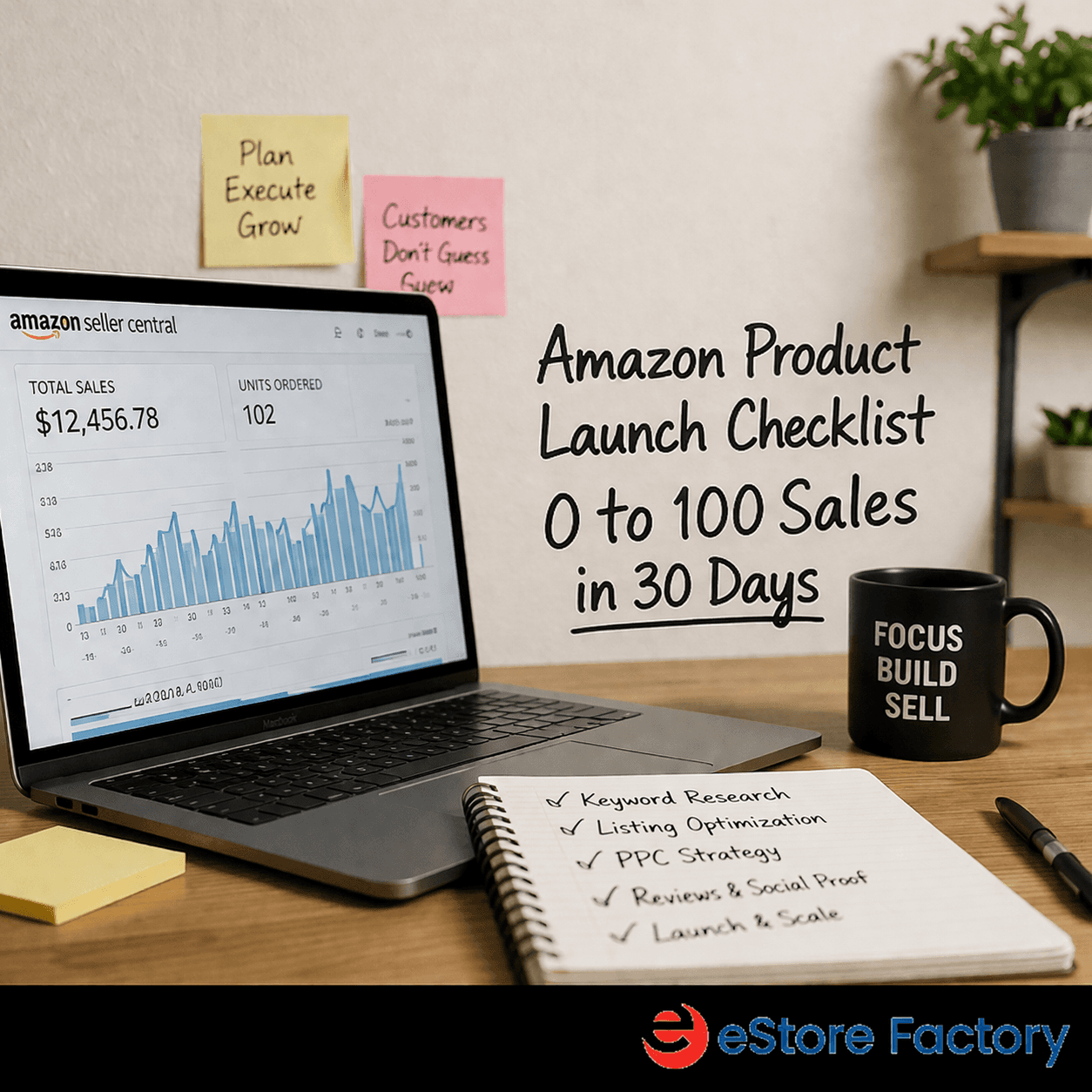
Amazon product launch checklist: 0 to 100 sales in 30 days
Amazon product launch checklist: 0 to 100 sales in 30 days
Back to Page
Amazon Seller Guide
Amazon product launch checklist: 0 to 100 sales in 30 days
TL;DR
Most new Amazon products fail not because of quality, but due to launching without a structured system and sequence.
Focus on doing the right actions in order: pre-launch setup, launch week execution, and post-launch optimization.
Build initial reviews (via Vine) before going live to improve conversion and credibility from day one.
Use aggressive pricing, coupons, and PPC strategically to drive early sales velocity and visibility.
Optimize your listing (images, keywords, copy) to boost click-through rate (CTR) and conversion rate (CVR).
Combine PPC with external traffic and continuous testing to maximize your 90-day honeymoon period and achieve faster ranking.
This happens to most first-time sellers, not because their product is bad, but because they launched without a system. The truth is, knowing how to rank a new product on Amazon fast isn't about one magic tactic.
It's about doing the right things in the right order. This checklist gives you a practical, step-by-step roadmap to go from zero to 100 sales in your first 30 days for your Amazon product launch.
What is the Amazon product launch checklist?
An Amazon product launch checklist is a sequenced set of actions you take before, during, and after going live to maximize your chances of ranking on page one and generating consistent sales. Think of it less as a to-do list and more as a launch sequence.
Common Approach | Checklist Approach | Result Difference |
List product and run ads immediately | Build reviews first, then run ads | 3–5x better conversion rate |
Set regular price from day one | Use strategic pricing with aggressive coupons | Faster sales velocity |
Use generic listing copy | Create keyword-optimized title, bullets, and images | Higher organic ranking |
No external traffic | Use email lists and rebate sites to drive traffic | Strong demand signals to Amazon |
What is Amazon's honeymoon period?
When your product goes live, Amazon gives it a roughly 90-day window called the honeymoon period. During this time, Amazon is actively watching your conversion rate, click-through rate, and sales velocity to decide where to position your product.
The hard truth: If you waste the honeymoon period with a weak listing, zero reviews, and no strategy , Amazon learns your product doesn't convert well. Recovering that position later costs 3x more in ad spend. This is why every single step in this checklist exists to squeeze maximum rank momentum out of those first 90 days.
Phase 1: Pre-launch setup before day 1
Everything here happens before you ever go public. Rushing this phase is the #1 reason new products fail at launch.
Open your Seller Central account: Do this immediately; account approvals can take days. Enroll in the Brand Registry right after. This unlocks Vine reviews and A+ content.
Invest in real branding: If your brand doesn't look like a brand, it won't become one. Branding comes before packaging. Packaging comes before manufacturing.
Optimize your listing (CRO): Professional photos, and the video, keyword-rich title and bullets, backend keywords filled, and a Storefront live before launch day.
Enroll in Amazon Vine: Enroll for up to 30 Vine reviews before going public. Wait until at least 10 reviews are live before setting your launch date.
For successful product launches on Amazon, a strategic approach is essential. Listing optimization plays a key role, and using an Amazon listing optimization service helps create high-quality, keyword-optimized content that drives higher click-through rates (CTR) and conversions from day one.
Next, enrolling in the Amazon Vine program through Seller Central helps you build initial reviews, ensuring your product starts with social proof rather than zero credibility. Strategic price setting is equally important. By conducting proper competitor research, you can set an aggressive yet competitive price that attracts clicks and helps you stand out against established sellers.
Finally, ensuring your FBA stock is properly shipped and managed through Seller Central is critical. Running out of stock can lead to a drop in rankings, so it’s important to send enough inventory to sustain at least 30+ days of sales.
Most sellers skip Vine because they don't know about it. This alone puts you ahead of 80% of new sellers who launch with 0 reviews and wonder why no one buys.
Phase 2: Launch week (Days 1–7)
You have 10 Vine reviews live. Today is launch day. Here's exactly what you do within the first 7 days.
Action | How to Do It | Expected Impact |
Go public | Set listing to active in Seller Central | Honeymoon period begins clock starts now |
Start PPC | Start with a $100/day budget. Run Sponsored Products first, then Sponsored Brands | Immediate visibility while organic rank builds |
Activate Subscribe & Save coupon | Set to 40% off (eligibility based on stock and sales velocity) | Undercuts competitors; attracts price-sensitive buyers |
Launch video ads | Use the Billboard Method: bold headline on left + scroll-stopping image on right; avoid AI voiceover | Can double sales and reduce ACoS by 30–50% |
On PPC budget: $100/day is a starting default. Gather data for 48 hours before touching bids. The data tells you exactly where to adjust; don't guess before you have it.
Video ad mistake to avoid: Most sellers run video ads with no clear headline, a generic product shot, and an AI voiceover. Amazon shoppers scroll past these in milliseconds. Your video ad has one job, stop the scroll.
Phase 3: First 30 days Days 8–30
This phase is about building review momentum and sending external demand signals to Amazon's algorithm.
Week | Focus | Key Actions | Milestone to Hit |
Week 2 | Review building | Sign up for a product tester platform (e.g., FBAreviews.com), run 15 tests per month. Turn on review request automation in Helium 10 | 20–25 total reviews |
Week 3 | External traffic | Email your list, post on social media, and list on rebate sites (e.g., rebate.com). Buyers purchase at full price and get a rebate after 30 days | Rank movement on target keywords |
Week 4 | Optimize + test | A/B test your main image. Analyze PPC data—pause wasted keywords, add negatives, and increase bids on winning keywords | 30 reviews and reach Page 1 for at least one primary keyword |
The 30-review milestone matters more than people realize. At 30 reviews, buyer hesitation drops significantly, especially when you're competing against products with thousands of reviews. Your 40% Subscribe & Save coupon compensates for the review gap while you build up.
How do I launch a product on Amazon and get sales fast?
The sellers who get sales fast aren't doing one thing well; they're winning across three levers simultaneously. This is the core framework behind every successful launch:
To succeed on Amazon, three key levers play a crucial role: traffic, click-through rate (CTR), and conversion rate (CVR). Traffic is all about getting your product discovered on Amazon, which can be achieved through PPC ads, backend keyword SEO, and external traffic sources.
Click-through rate (CTR) focuses on how many people choose your listing over competitors. This can be improved with an optimized main image, competitive pricing, and attractive coupon badges that grab attention.
Finally, conversion rate (CVR) determines how many visitors actually become buyers. Strong reviews, compelling listing copy, and incentives like Subscribe & Save discounts help build trust and encourage purchases.
To rank a new product on Amazon fast, you need all three working together. High traffic with low conversion tells Amazon your listing isn't relevant. High conversion with no traffic means no one sees you. The checklist in this post is designed to fire all three levers from day one.
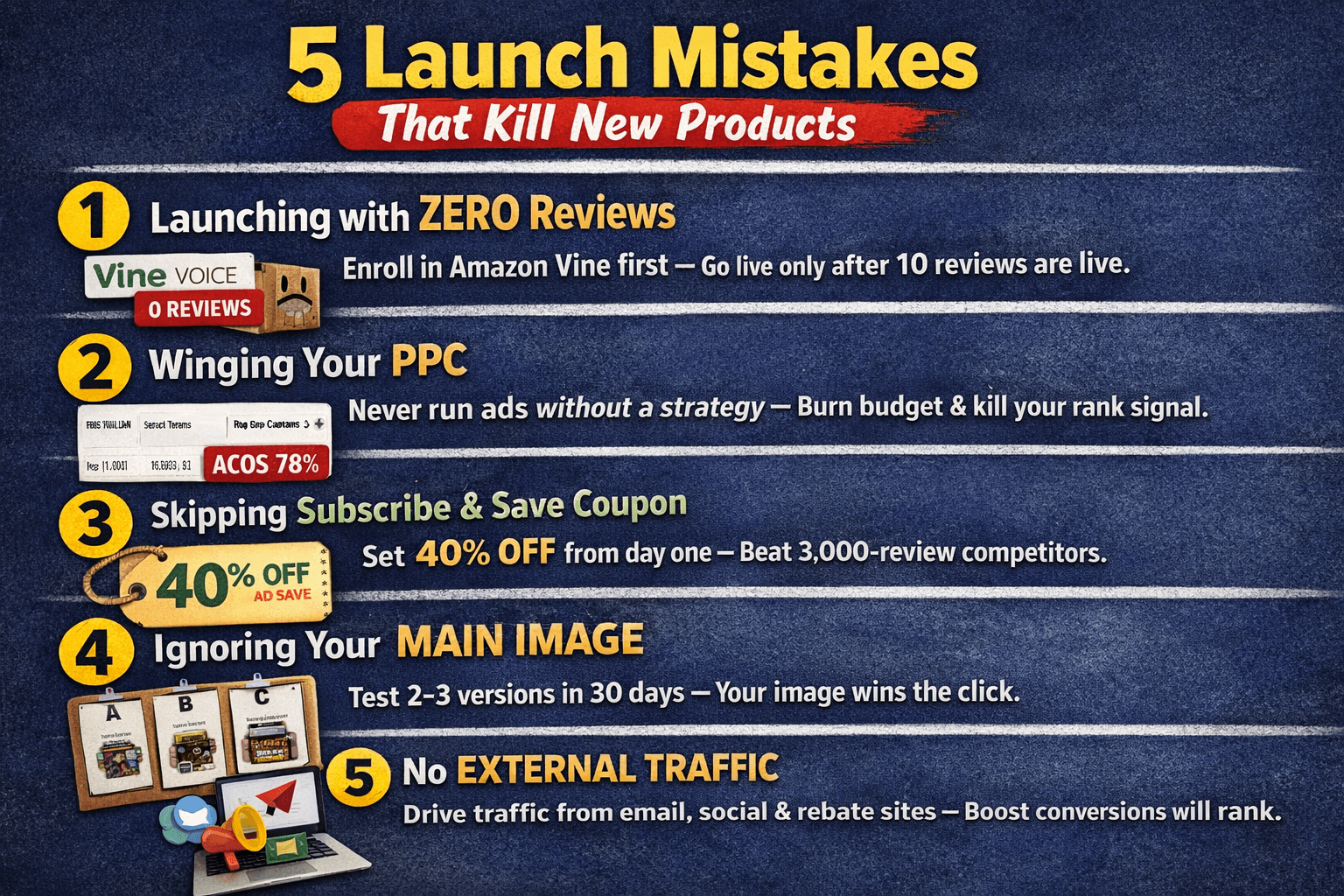
5 launch mistakes that kill new products
Final insights
Amazon rewards sellers who treat launch like a system, not a guessing game. The honeymoon period gives you a real window to rank, but only if you show up prepared with reviews, an optimized listing, aggressive pricing, and real traffic.
Follow this checklist in sequence, and you won't just get your first 100 sales; you'll build a foundation that compounds. Start with what you can do today: open your account, enroll in Vine, and get your listing dialed in before a single buyer ever sees it.
FAQs
How do I get my first Amazon reviews legally?
Enroll in Amazon Vine through Brand Registry to get up to 30 reviews before going public. After launch, use the "Request a Review" button in Seller Central or automate it with Helium 10.
How do I optimize my Amazon listing before launch?
Focus on four things before going live: scroll-stopping main image, keyword-rich title, objection-handling bullet points, and fully filled backend search terms. Get these right before you spend a single rupee on ads.
Should I use coupons or discounts to launch a product on Amazon?
Yes. A 40% Subscribe & Save coupon gives price-conscious shoppers a reason to choose you over competitors with thousands of reviews. When your review count is low, your discount does the selling.
TL;DR
Most new Amazon products fail not because of quality, but due to launching without a structured system and sequence.
Focus on doing the right actions in order: pre-launch setup, launch week execution, and post-launch optimization.
Build initial reviews (via Vine) before going live to improve conversion and credibility from day one.
Use aggressive pricing, coupons, and PPC strategically to drive early sales velocity and visibility.
Optimize your listing (images, keywords, copy) to boost click-through rate (CTR) and conversion rate (CVR).
Combine PPC with external traffic and continuous testing to maximize your 90-day honeymoon period and achieve faster ranking.
This happens to most first-time sellers, not because their product is bad, but because they launched without a system. The truth is, knowing how to rank a new product on Amazon fast isn't about one magic tactic.
It's about doing the right things in the right order. This checklist gives you a practical, step-by-step roadmap to go from zero to 100 sales in your first 30 days for your Amazon product launch.
What is the Amazon product launch checklist?
An Amazon product launch checklist is a sequenced set of actions you take before, during, and after going live to maximize your chances of ranking on page one and generating consistent sales. Think of it less as a to-do list and more as a launch sequence.
Common Approach | Checklist Approach | Result Difference |
List product and run ads immediately | Build reviews first, then run ads | 3–5x better conversion rate |
Set regular price from day one | Use strategic pricing with aggressive coupons | Faster sales velocity |
Use generic listing copy | Create keyword-optimized title, bullets, and images | Higher organic ranking |
No external traffic | Use email lists and rebate sites to drive traffic | Strong demand signals to Amazon |
What is Amazon's honeymoon period?
When your product goes live, Amazon gives it a roughly 90-day window called the honeymoon period. During this time, Amazon is actively watching your conversion rate, click-through rate, and sales velocity to decide where to position your product.
The hard truth: If you waste the honeymoon period with a weak listing, zero reviews, and no strategy , Amazon learns your product doesn't convert well. Recovering that position later costs 3x more in ad spend. This is why every single step in this checklist exists to squeeze maximum rank momentum out of those first 90 days.
Phase 1: Pre-launch setup before day 1
Everything here happens before you ever go public. Rushing this phase is the #1 reason new products fail at launch.
Open your Seller Central account: Do this immediately; account approvals can take days. Enroll in the Brand Registry right after. This unlocks Vine reviews and A+ content.
Invest in real branding: If your brand doesn't look like a brand, it won't become one. Branding comes before packaging. Packaging comes before manufacturing.
Optimize your listing (CRO): Professional photos, and the video, keyword-rich title and bullets, backend keywords filled, and a Storefront live before launch day.
Enroll in Amazon Vine: Enroll for up to 30 Vine reviews before going public. Wait until at least 10 reviews are live before setting your launch date.
For successful product launches on Amazon, a strategic approach is essential. Listing optimization plays a key role, and using an Amazon listing optimization service helps create high-quality, keyword-optimized content that drives higher click-through rates (CTR) and conversions from day one.
Next, enrolling in the Amazon Vine program through Seller Central helps you build initial reviews, ensuring your product starts with social proof rather than zero credibility. Strategic price setting is equally important. By conducting proper competitor research, you can set an aggressive yet competitive price that attracts clicks and helps you stand out against established sellers.
Finally, ensuring your FBA stock is properly shipped and managed through Seller Central is critical. Running out of stock can lead to a drop in rankings, so it’s important to send enough inventory to sustain at least 30+ days of sales.
Most sellers skip Vine because they don't know about it. This alone puts you ahead of 80% of new sellers who launch with 0 reviews and wonder why no one buys.
Phase 2: Launch week (Days 1–7)
You have 10 Vine reviews live. Today is launch day. Here's exactly what you do within the first 7 days.
Action | How to Do It | Expected Impact |
Go public | Set listing to active in Seller Central | Honeymoon period begins clock starts now |
Start PPC | Start with a $100/day budget. Run Sponsored Products first, then Sponsored Brands | Immediate visibility while organic rank builds |
Activate Subscribe & Save coupon | Set to 40% off (eligibility based on stock and sales velocity) | Undercuts competitors; attracts price-sensitive buyers |
Launch video ads | Use the Billboard Method: bold headline on left + scroll-stopping image on right; avoid AI voiceover | Can double sales and reduce ACoS by 30–50% |
On PPC budget: $100/day is a starting default. Gather data for 48 hours before touching bids. The data tells you exactly where to adjust; don't guess before you have it.
Video ad mistake to avoid: Most sellers run video ads with no clear headline, a generic product shot, and an AI voiceover. Amazon shoppers scroll past these in milliseconds. Your video ad has one job, stop the scroll.
Phase 3: First 30 days Days 8–30
This phase is about building review momentum and sending external demand signals to Amazon's algorithm.
Week | Focus | Key Actions | Milestone to Hit |
Week 2 | Review building | Sign up for a product tester platform (e.g., FBAreviews.com), run 15 tests per month. Turn on review request automation in Helium 10 | 20–25 total reviews |
Week 3 | External traffic | Email your list, post on social media, and list on rebate sites (e.g., rebate.com). Buyers purchase at full price and get a rebate after 30 days | Rank movement on target keywords |
Week 4 | Optimize + test | A/B test your main image. Analyze PPC data—pause wasted keywords, add negatives, and increase bids on winning keywords | 30 reviews and reach Page 1 for at least one primary keyword |
The 30-review milestone matters more than people realize. At 30 reviews, buyer hesitation drops significantly, especially when you're competing against products with thousands of reviews. Your 40% Subscribe & Save coupon compensates for the review gap while you build up.
How do I launch a product on Amazon and get sales fast?
The sellers who get sales fast aren't doing one thing well; they're winning across three levers simultaneously. This is the core framework behind every successful launch:
To succeed on Amazon, three key levers play a crucial role: traffic, click-through rate (CTR), and conversion rate (CVR). Traffic is all about getting your product discovered on Amazon, which can be achieved through PPC ads, backend keyword SEO, and external traffic sources.
Click-through rate (CTR) focuses on how many people choose your listing over competitors. This can be improved with an optimized main image, competitive pricing, and attractive coupon badges that grab attention.
Finally, conversion rate (CVR) determines how many visitors actually become buyers. Strong reviews, compelling listing copy, and incentives like Subscribe & Save discounts help build trust and encourage purchases.
To rank a new product on Amazon fast, you need all three working together. High traffic with low conversion tells Amazon your listing isn't relevant. High conversion with no traffic means no one sees you. The checklist in this post is designed to fire all three levers from day one.
5 launch mistakes that kill new products
Final insights
Amazon rewards sellers who treat launch like a system, not a guessing game. The honeymoon period gives you a real window to rank, but only if you show up prepared with reviews, an optimized listing, aggressive pricing, and real traffic.
Follow this checklist in sequence, and you won't just get your first 100 sales; you'll build a foundation that compounds. Start with what you can do today: open your account, enroll in Vine, and get your listing dialed in before a single buyer ever sees it.
FAQs
How do I get my first Amazon reviews legally?
Enroll in Amazon Vine through Brand Registry to get up to 30 reviews before going public. After launch, use the "Request a Review" button in Seller Central or automate it with Helium 10.
How do I optimize my Amazon listing before launch?
Focus on four things before going live: scroll-stopping main image, keyword-rich title, objection-handling bullet points, and fully filled backend search terms. Get these right before you spend a single rupee on ads.
Should I use coupons or discounts to launch a product on Amazon?
Yes. A 40% Subscribe & Save coupon gives price-conscious shoppers a reason to choose you over competitors with thousands of reviews. When your review count is low, your discount does the selling.
TL;DR
Most new Amazon products fail not because of quality, but due to launching without a structured system and sequence.
Focus on doing the right actions in order: pre-launch setup, launch week execution, and post-launch optimization.
Build initial reviews (via Vine) before going live to improve conversion and credibility from day one.
Use aggressive pricing, coupons, and PPC strategically to drive early sales velocity and visibility.
Optimize your listing (images, keywords, copy) to boost click-through rate (CTR) and conversion rate (CVR).
Combine PPC with external traffic and continuous testing to maximize your 90-day honeymoon period and achieve faster ranking.
This happens to most first-time sellers, not because their product is bad, but because they launched without a system. The truth is, knowing how to rank a new product on Amazon fast isn't about one magic tactic.
It's about doing the right things in the right order. This checklist gives you a practical, step-by-step roadmap to go from zero to 100 sales in your first 30 days for your Amazon product launch.
What is the Amazon product launch checklist?
An Amazon product launch checklist is a sequenced set of actions you take before, during, and after going live to maximize your chances of ranking on page one and generating consistent sales. Think of it less as a to-do list and more as a launch sequence.
Common Approach | Checklist Approach | Result Difference |
List product and run ads immediately | Build reviews first, then run ads | 3–5x better conversion rate |
Set regular price from day one | Use strategic pricing with aggressive coupons | Faster sales velocity |
Use generic listing copy | Create keyword-optimized title, bullets, and images | Higher organic ranking |
No external traffic | Use email lists and rebate sites to drive traffic | Strong demand signals to Amazon |
What is Amazon's honeymoon period?
When your product goes live, Amazon gives it a roughly 90-day window called the honeymoon period. During this time, Amazon is actively watching your conversion rate, click-through rate, and sales velocity to decide where to position your product.
The hard truth: If you waste the honeymoon period with a weak listing, zero reviews, and no strategy , Amazon learns your product doesn't convert well. Recovering that position later costs 3x more in ad spend. This is why every single step in this checklist exists to squeeze maximum rank momentum out of those first 90 days.
Phase 1: Pre-launch setup before day 1
Everything here happens before you ever go public. Rushing this phase is the #1 reason new products fail at launch.
Open your Seller Central account: Do this immediately; account approvals can take days. Enroll in the Brand Registry right after. This unlocks Vine reviews and A+ content.
Invest in real branding: If your brand doesn't look like a brand, it won't become one. Branding comes before packaging. Packaging comes before manufacturing.
Optimize your listing (CRO): Professional photos, and the video, keyword-rich title and bullets, backend keywords filled, and a Storefront live before launch day.
Enroll in Amazon Vine: Enroll for up to 30 Vine reviews before going public. Wait until at least 10 reviews are live before setting your launch date.
For successful product launches on Amazon, a strategic approach is essential. Listing optimization plays a key role, and using an Amazon listing optimization service helps create high-quality, keyword-optimized content that drives higher click-through rates (CTR) and conversions from day one.
Next, enrolling in the Amazon Vine program through Seller Central helps you build initial reviews, ensuring your product starts with social proof rather than zero credibility. Strategic price setting is equally important. By conducting proper competitor research, you can set an aggressive yet competitive price that attracts clicks and helps you stand out against established sellers.
Finally, ensuring your FBA stock is properly shipped and managed through Seller Central is critical. Running out of stock can lead to a drop in rankings, so it’s important to send enough inventory to sustain at least 30+ days of sales.
Most sellers skip Vine because they don't know about it. This alone puts you ahead of 80% of new sellers who launch with 0 reviews and wonder why no one buys.
Phase 2: Launch week (Days 1–7)
You have 10 Vine reviews live. Today is launch day. Here's exactly what you do within the first 7 days.
Action | How to Do It | Expected Impact |
Go public | Set listing to active in Seller Central | Honeymoon period begins clock starts now |
Start PPC | Start with a $100/day budget. Run Sponsored Products first, then Sponsored Brands | Immediate visibility while organic rank builds |
Activate Subscribe & Save coupon | Set to 40% off (eligibility based on stock and sales velocity) | Undercuts competitors; attracts price-sensitive buyers |
Launch video ads | Use the Billboard Method: bold headline on left + scroll-stopping image on right; avoid AI voiceover | Can double sales and reduce ACoS by 30–50% |
On PPC budget: $100/day is a starting default. Gather data for 48 hours before touching bids. The data tells you exactly where to adjust; don't guess before you have it.
Video ad mistake to avoid: Most sellers run video ads with no clear headline, a generic product shot, and an AI voiceover. Amazon shoppers scroll past these in milliseconds. Your video ad has one job, stop the scroll.
Phase 3: First 30 days Days 8–30
This phase is about building review momentum and sending external demand signals to Amazon's algorithm.
Week | Focus | Key Actions | Milestone to Hit |
Week 2 | Review building | Sign up for a product tester platform (e.g., FBAreviews.com), run 15 tests per month. Turn on review request automation in Helium 10 | 20–25 total reviews |
Week 3 | External traffic | Email your list, post on social media, and list on rebate sites (e.g., rebate.com). Buyers purchase at full price and get a rebate after 30 days | Rank movement on target keywords |
Week 4 | Optimize + test | A/B test your main image. Analyze PPC data—pause wasted keywords, add negatives, and increase bids on winning keywords | 30 reviews and reach Page 1 for at least one primary keyword |
The 30-review milestone matters more than people realize. At 30 reviews, buyer hesitation drops significantly, especially when you're competing against products with thousands of reviews. Your 40% Subscribe & Save coupon compensates for the review gap while you build up.
How do I launch a product on Amazon and get sales fast?
The sellers who get sales fast aren't doing one thing well; they're winning across three levers simultaneously. This is the core framework behind every successful launch:
To succeed on Amazon, three key levers play a crucial role: traffic, click-through rate (CTR), and conversion rate (CVR). Traffic is all about getting your product discovered on Amazon, which can be achieved through PPC ads, backend keyword SEO, and external traffic sources.
Click-through rate (CTR) focuses on how many people choose your listing over competitors. This can be improved with an optimized main image, competitive pricing, and attractive coupon badges that grab attention.
Finally, conversion rate (CVR) determines how many visitors actually become buyers. Strong reviews, compelling listing copy, and incentives like Subscribe & Save discounts help build trust and encourage purchases.
To rank a new product on Amazon fast, you need all three working together. High traffic with low conversion tells Amazon your listing isn't relevant. High conversion with no traffic means no one sees you. The checklist in this post is designed to fire all three levers from day one.
5 launch mistakes that kill new products
Final insights
Amazon rewards sellers who treat launch like a system, not a guessing game. The honeymoon period gives you a real window to rank, but only if you show up prepared with reviews, an optimized listing, aggressive pricing, and real traffic.
Follow this checklist in sequence, and you won't just get your first 100 sales; you'll build a foundation that compounds. Start with what you can do today: open your account, enroll in Vine, and get your listing dialed in before a single buyer ever sees it.
FAQs
How do I get my first Amazon reviews legally?
Enroll in Amazon Vine through Brand Registry to get up to 30 reviews before going public. After launch, use the "Request a Review" button in Seller Central or automate it with Helium 10.
How do I optimize my Amazon listing before launch?
Focus on four things before going live: scroll-stopping main image, keyword-rich title, objection-handling bullet points, and fully filled backend search terms. Get these right before you spend a single rupee on ads.
Should I use coupons or discounts to launch a product on Amazon?
Yes. A 40% Subscribe & Save coupon gives price-conscious shoppers a reason to choose you over competitors with thousands of reviews. When your review count is low, your discount does the selling.





eStore Factory is a full-service agency for Amazon Sellers dedicated to building end-to-end strategies for brands of all sizes.


SERVICES FOR AMAZON
Product Setup ON AMAZON
GRAPHICS & BRANDING SERVICES
PPC MANAGEMENT
© Copyright 2014 - 2026. All Rights Reserved.
eStore Factory is a full-service agency for Amazon Sellers dedicated to building end-to-end strategies for brands of all sizes.
SERVICES FOR AMAZON
Product Setup ON AMAZON
GRAPHICS & BRANDING SERVICES
PPC MANAGEMENT
© Copyright 2014 - 2026. All Rights Reserved.
eStore Factory is a full-service agency for Amazon Sellers dedicated to building end-to-end strategies for brands of all sizes.
SERVICES FOR AMAZON
Product Setup ON AMAZON
GRAPHICS & BRANDING SERVICES
PPC MANAGEMENT
© Copyright 2014 - 2026. All Rights Reserved.