


Amazon has introduced a new AI-powered canvas experience inside Seller Central allowing sellers to analyze their business, visualize data, and take action from a single interactive workspace.
According to the Amazon announcement, sellers can now ask questions and instantly generate a personalized visual dashboard showing performance insights, trends, and recommended actions. The feature works alongside Seller Assistant, Amazon’s AI system built on an agent-based architecture.
This update is available now for sellers in the U.S. and U.K., with more regions expected later.
What exactly is the new Seller Central Canvas?
The new canvas experience is an interactive workspace that automatically pulls together your business data and turns it into visual insights. Sellers can consider it as “chatting with your business data. Rather than manually pulling reports, sellers can simply ask questions such as:
How are my products performing?
What should I restock next?
How can my campaigns perform better?
The canvas then builds a custom visual workspace showing:Sales performance
Traffic trends
Inventory levels
Marketing performance
Suggested actions to improve results
As you ask follow-up questions, the canvas updates in real time and generates new charts, insights, and recommendations.
How does the AI canvas actually work?
The system runs on Seller Assistant’s AI architecture, powered by Amazon Bedrock, Amazon Nova, and Anthropic Claude. It combines AI with Amazon’s historical marketplace data and seller performance insights to analyze your account. Here’s how sellers will use it:
Ask a question in the Seller Assistant
The system builds a personalized canvas dashboard
Sellers explore insights, test scenarios, and refine decisions
The system suggests actions based on real-time data
Over time, Amazon says the assistant will execute more actions automatically, such as creating restock orders or adjusting pricing.
What sellers can actually do with the canvas?
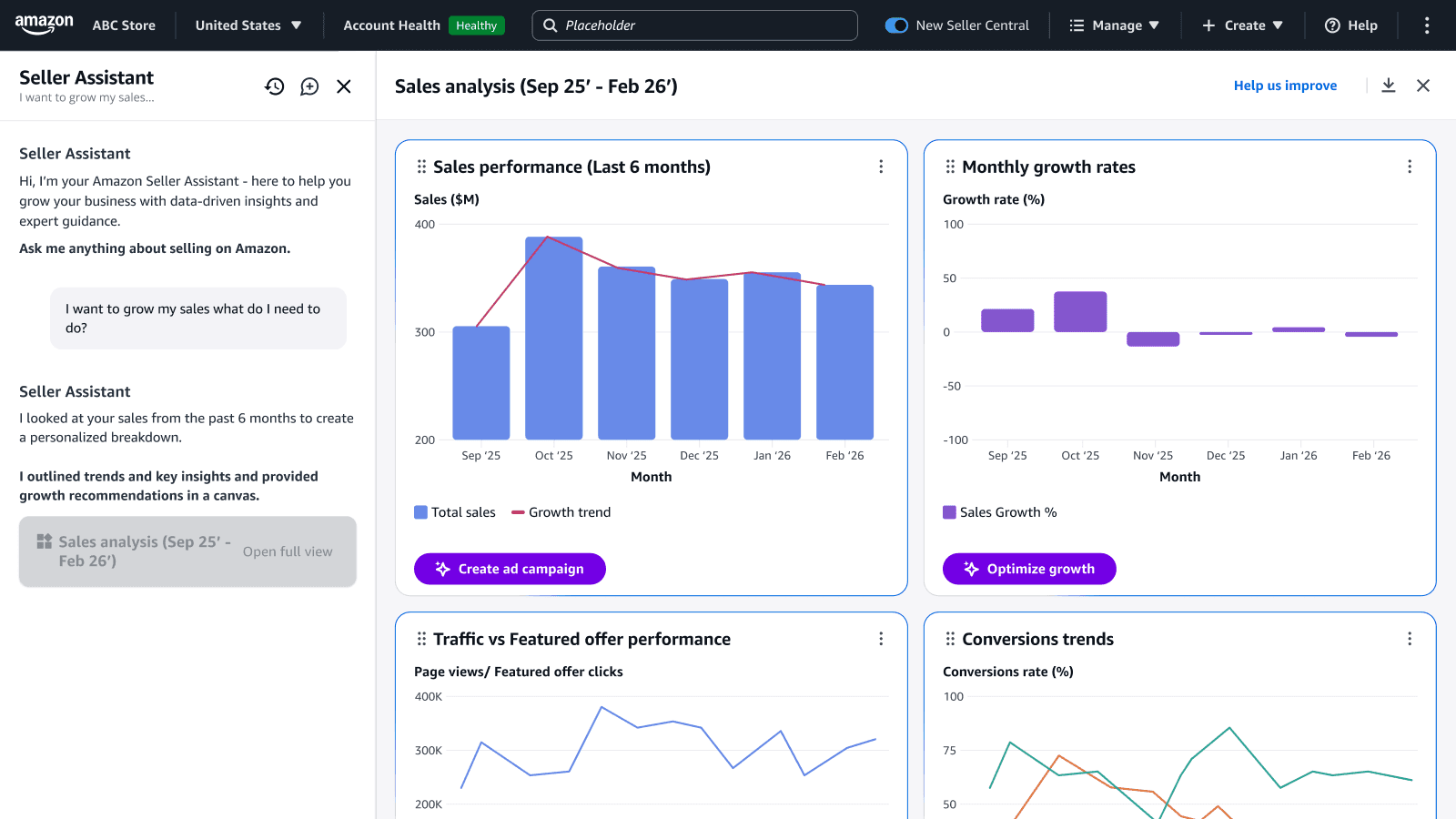
1. Understand sales performance quickly
Source: Amazon
Now, sellers do not need to pull multiple reports, sellers can generate a single dashboard showing sales, traffic, trends, and product performance. The canvas may also highlight things you might miss manually, such as:
Sudden sales spikes
Declining product performance
Inventory shortages
Unexpected demand changes
The system then suggests actions like restocking inventory or increasing promotion.
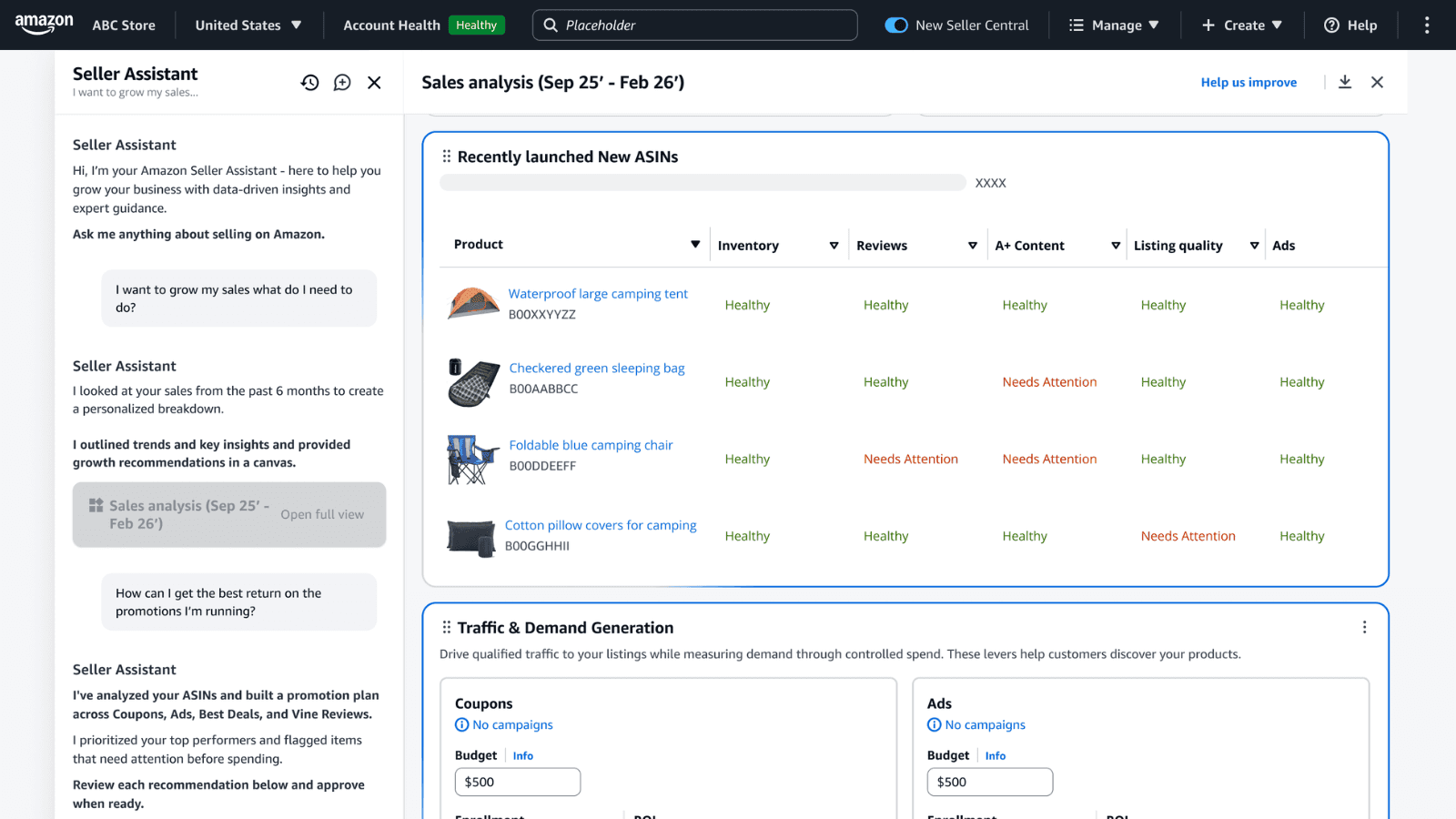
2. Improve advertising and marketing performance
Source: Amazon
Sellers can ask questions like "Why are my campaigns underperforming?” The canvas analyzes ad spend, impressions, conversions, and sales impact. It then proposes multiple strategies, such as reducing ad spend on weak campaigns, increasing bids on high-converting products, and promoting excess inventory.
Sellers can even adjust conditions, like reducing spending this month, and focus on clearing inventory. The system then updates projections instantly.
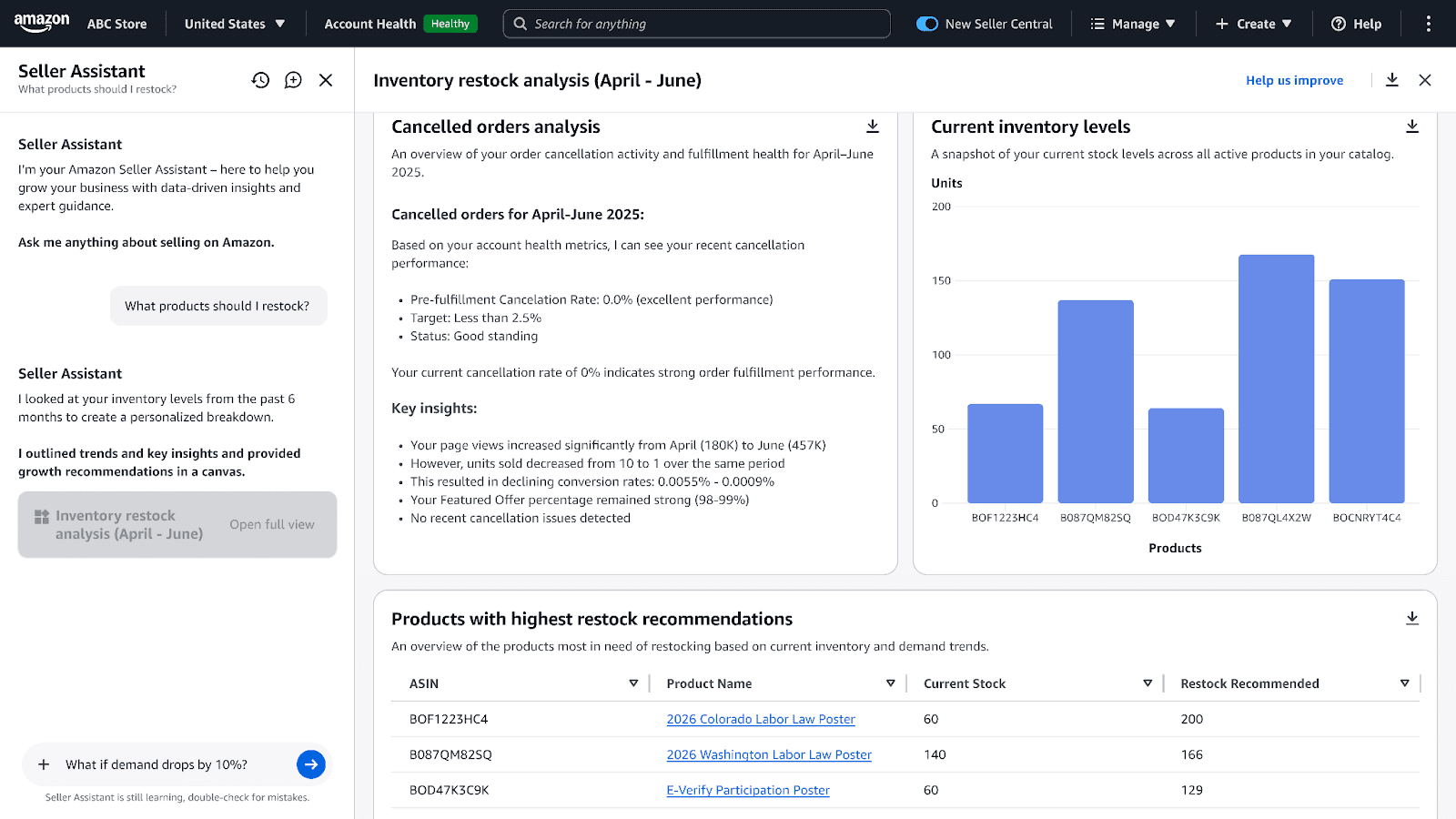
3. Make better inventory decisions
Source: Amazon
Inventory planning is one of the hardest parts of running an Amazon business. The canvas acts like a decision simulator. When sellers ask: What should I restock? The system analyzes demand and suggests options such as restock immediately, delay restocking, or discount slow inventory. Each option shows projected impact on the following:
Revenue
Stockout risk
Storage fees
Cash flow
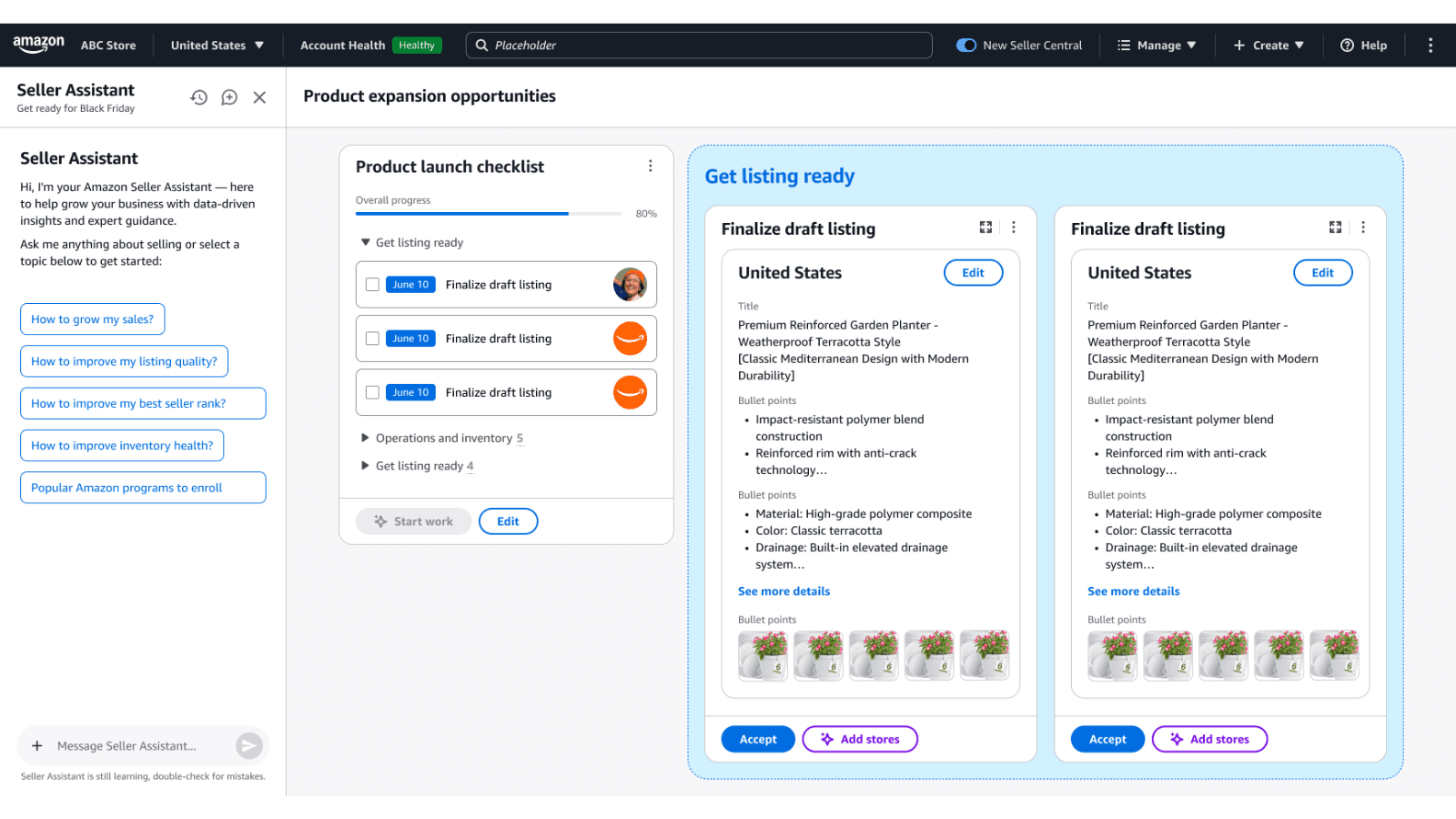
4. Plan new product launches
Source: Amazon
The canvas can also help sellers evaluate new product opportunities. It analyzes category demand, customer trends, competitive intensity, and historical performance. The system also generates launch checklists and inventory forecasts. Then it suggests possible expansion strategies such as:
Launching product variations
Entering new categories
Adjusting launch inventory
Amazon also released a YouTube video explaining how this works in practice.
Source: Amazon
Why does this update matter for sellers?
This is not just another dashboard. The biggest change is that sellers no longer need to manually analyze dozens of reports. The AI canvas:
Combines data from different reports automatically
Highlights opportunities sellers might miss
Helps test decisions before acting
Turns insights into actions
For many sellers, this could replace hours of manual data analysis. One early seller tester said the system provided insights in seconds that previously took hours to assemble.
Who will benefit the most?
Growing sellers who need faster insights to manage ads, inventory, and sales.
Data-heavy businesses with many SKUs, where performance analysis takes time.
New sellers who struggle to interpret multiple Seller Central reports.
What should sellers do next?
If you sell in the US or UK, open Seller Central, access the seller assistant, and start asking performance questions. The seller can try prompts like:
Analyze my sales performance
Which products should I restock?
How can I improve my ad campaigns?
The canvas will automatically generate a personalized visual workspace. Amazon is clearly moving toward AI-assisted selling. The platform is shifting away from sellers manually pulling reports toward automated insights, predictive analysis, and AI-driven decision support.
The new canvas is the first step toward a more automated Seller Central experience, where insights and actions are connected. And according to Amazon, this is only the beginning.
If you want help interpreting these insights or building a data-driven growth strategy, working with an experienced Amazon consultant can help ensure you are making the most of the new tools available inside Seller Central.






